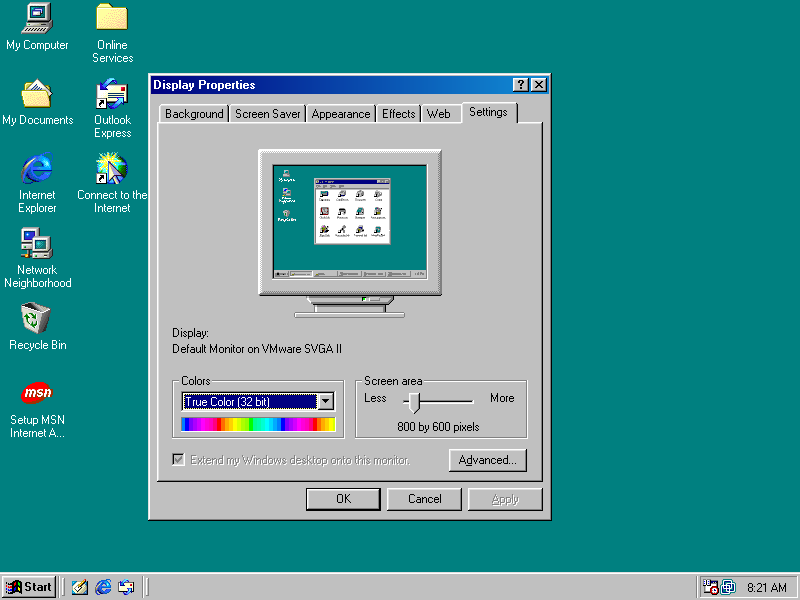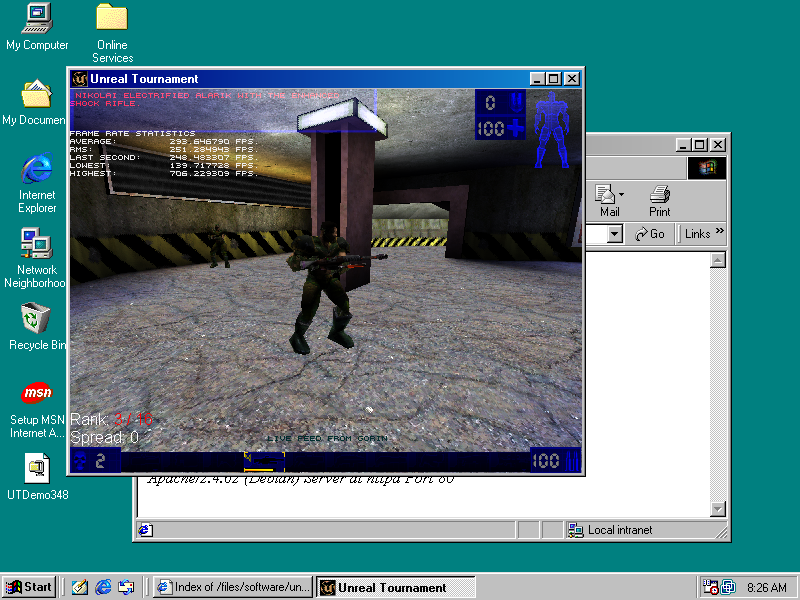
Running Windows XP in a VM (April 2025)

I run Linux obviously… and sometimes Wine blows my mind with how good it is. I have several cases lately however, where my mind isn’t exactly… blown…

This was going to be a guide on running VirtualBox 6.0.24 on Debian testing. TLDR; VMWare Workstation is Free for Linux, and is probably a much better idea anyway. Still though, wanted to document the journey.

So… XP as a guest has not been supported by any of the major virtualization solutions for years at this point. Now sure, you can install and run XP just fine on any of them… but 3D acceleration for smooth desktop operation is another story. Today, I’m going to see just how much of a pain in the ass that is – getting a 2019 VirtualBox packaged for Debian Buster… running on Debian Trixie (testing) in 2025.

SPOILER: This didn’t work; if you’re determined though, I’m sure you could get it working. This will get you Vbox installed, and the application runs, but you can’t actually run a VM… in my case anyway. I have a mismatch of Sid/Trixie/Bookworm though, and generally that is bad practice 🙂 See the alternate solution… just scroll down a bit.

If you try and just go for it, you’ll be met in the very least with a message informing you that you system lacks these dependencies:

dpkg: dependency problems prevent configuration of virtualbox-6.0:
virtualbox-6.0 depends on libssl1.1 (>= 1.1.1); however:
Package libssl1.1 is not installed.
virtualbox-6.0 depends on libvpx5 (>= 1.6.0); however:
Package libvpx5 is not installed.
virtualbox-6.0 depends on python (<< 2.8); however:
Package python is not installed.
virtualbox-6.0 depends on python (>= 2.7); however:
Package python is not installed.
virtualbox-6.0 depends on python:any (>= 2.6.6-7~).

You’ll need an older libssl package. libssl1.1_1.1.1n-0+deb10u6_amd64.deb is easily found on Debian’s site, there will be a link at the end of the article too. For me, a simple dpkg -i installed this with 0 problems… So far, so good!

For libvpx5:
wget http://ftp.debian.org/debian/pool/main/libv/libvpx/libvpx5_1.7.0-3+deb10u1_amd64.deb

sudo dpkg -i libvpx5_1.7.0-3+deb10u1_amd64.deb

Now, Python… obviously Python 2 is dead. I first tried this with the python-is-python3 package; I wish this would have worked. The backup plan is installing Python 2.7 from Bullseye, which I’d have liked to avoid.

Steps for Python 2.7…

Download http://ftp.debian.org/debian/pool/main/libf/libffi/libffi7_3.3-6_amd64.deb
dpkg -i libffi7_3.3-6_amd64.deb

If you’re running as root, you can save time with a single command for the download / install. Here is the next thing we’ll need:

wget http://ftp.debian.org/debian/pool/main/p/python2.7/libpython2.7-minimal_2.7.18-8+deb11u1_amd64.deb && dpkg -i libpython2.7-minimal_2.7.18-8+deb11u1_amd64.deb

For the next two, I had to tell it to ignore a dependency. “mime-support” is no longer a package, and I have the new version installed, so this should be OK.

Wget http://ftp.debian.org/debian/pool/main/p/python2.7/libpython2.7-stdlib_2.7.18-8+deb11u1_amd64.deb && sudo dpkg -i –force-depends libpython2.7-stdlib_2.7.18-8+deb11u1_amd64.deb

Again, we have to do that for the actual Python 2.7 package

wget http://ftp.debian.org/debian/pool/main/p/python2.7/python2.7_2.7.18-8+deb11u1_amd64.deb && dpkg -i –force-depends python2.7_2.7.18-8+deb11u1_amd64.deb

At this point, I removed python-is-python3, since we don’t want to be trying to run python2 code on python3 when we have 2.7 installed; so apt remove –purge python-is-python3

VirtualBox will still complain about missing python. Oh well. Use the Force!

sudo dpkg -i –force-depends virtualbox-6.0_6.0.24-139119~Debian~buster_amd64.deb

At this point, Virtualbox was indeed installed however there were problems finishing the setup. Something to do with the kernel modules, maybe the vbox networking, stuff like that. EVERY TIME I used apt, I had to –fix-broken install which REMOVED virtualbox. Then I had to reinstall it, telling it to ignore the python situation. The problem looked related to kernel modules \ lack of kernel headers installed so I made sure I had those installed. Anyway, big f’n mess.

I figured I’d share because for someone determined enough, you’ll probably get it working. At this point, VirtualBox does indeed start, you can start to configure a VM, etc. Just when you try to actually launch a VM, it will complain and fail.

Alternate Solution:

But guess what…. There is a major VM solution that supposedly still supports accelerated graphics on XP. VMWare Workstation – which at the time of writing this – is completely free. You just need to sign up with your email, but no credit card or any BS like that.

You’ll need an older version of the VMWare Guest Tools:
https://packages.vmware.com/tools/releases/10.0.12/windows/

Just download the ISO, and after you install XP you can mount it and the installer should start right up. Reboot and you should be good.

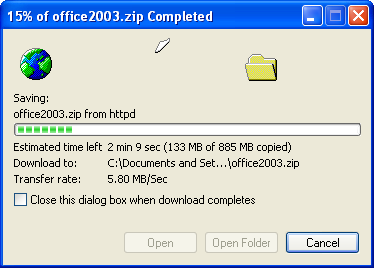
IE Downloading

Man… Been a while since I’ve seen THAT dialog box! Mainly because I used XP for years with FireFox.


Recommended Free Software

These days I’m a Linux & FreeBSD user, most if not all of this software is available on both platforms.  It is all free and open source software, with either GPL, MIT or BSD licensing.

Desktop Environments

MATE Desktop:  a continuation of GNOME 2
The MATE Desktop Environment provides an intuitive and attractive desktop environment using traditional metaphors for Linux and other Unix-like operating systems. MATE is under active development to add support for new technologies while preserving a traditional desktop experience. Personally, I use MATE on pretty much every machine I actually use. It is my go to. Window-snapping / tiling has been added, and it is great to be able to use keyboard bindings to half or quarter tile your windows instantly. XFCE can do the same things, and is a fine choice too, I’ve just been using Gnome/MATE for a long time and find it a tad cleaner out of the box. If Gnome 3/40+ makes you dizzy and KDE 5/6 has too many options and feels bloated; Welcome to MATE!

Website: mate-desktop.org | Install Guide: Wiki page | FreeBSD Handbook: Installing MATE
LXDE: the light-weight X11 Desktop Environment
LXDE is a complete (but small) desktop environment with comparatively low resource requirements. It will feel speedy on your Core 2 Duo, yes even in 2024. Written in C, and uses the GTK 2 toolkit. Default window manager is Openbox, and LXDE is a great way to get into using openbox without writing your own configs for it. You get a desktop /w icons, familiar right-click menu, and panel with task-bar and system tray. Available on most Unix-like systems.
Website: lxde.org | FreeBSD Wiki: Installing and Configuring LXDE

Software

Krita – My free “Photoshop” go to. I must admit, I’ve only recently found this gem of a program and boy do I wish I’d found it sooner. I got pretty comfortable in PS back in the CS 3 – CS 4 days, and Gimp (in my opinion!) is simply not intuitive. Krita is incredible. I’ve only as of writing this used it a dozen or so times for small things and I’m already thoroughly impressed. It is a solid offering, and for me I find it vastly more usable than gimp. Better yet even it is available from FreeBSD ports / packags! Krita.org

PaleMoon – A browser completely built from its own, independently developed source which forked from FireFox of days past. I really love this browser, especially the interface. I use it whenever possible. uBlock origin works via the current “firefox legacy” plugin. Plus, FreeBSD, Linux and other pre-compiled builds are available right from their website!

Firefox – These days there are probably better options.  I don’t agree with a lot of things Google does, so I haven’t touched chrome in years.  Firefox has been pretty good to me over the past two decades. I even use it on my phone. Mozilla.org

guvcview – Web cam and video capture software. Build configurations for GTK, QT and console only. Works with V4L devices; cameras, capture cards, etc. Of what I’ve tried, this has worked well for capturing video and viewing video from various sources on screen. guvcview.sourceforge.net

SeaMonkey – This is the modern era Mozilla application suite.  Browser, E-mail, irc and WYSIWYG style HTML composer all in one. HTML editors are few and far between these days, so SeaMonkey is probably what you’re looking for. It also offers a lighter browser compared to FireFox. As a browser, I have found that most things will work, with a couple exceptions.

    This page will tell you everything you need to install Seamonkey on Debian / Ubuntu.

Here is v 2.53 someone compiled on FreeBSD 13. I’ve tested it myself, and it works fine on FreeBSD 14 aswell. **This is a couple years old now and may not be secure! Use at your own risk. **

InputLeap – Formerly named “Barrier”, this program allows you to share your a single mouse and keyboard across multiple desktops.  This can be very handy if you have multiple systems on the same desk, or maybe to plop your notebook down beside your workstation for more screen space to multi-task.  I’ve used it between FreeBSD on my laptop and Fedora on my desktop, and it works perfectly. GitHub

Solaar – Software to get otherwise unavailable functionality out of Logitech wireless peripherals working on Linux.  It lets me use my function keys as… function keys.  Instead of useless multimedia functions, I can use F1 – F12.  For me, a must have; although I wouldn’t need it if they didn’t design their keyboards with that flawed design decision. GitHub

virt-manager – Virtual Machine Manager, a GUI front end for Linux KVM, Xen, LXC, FreeBSD Bhyve and more. virt-manager.org

xscreensaver – The standard screen saver collection included on most Linux and Unix systems running the X11 Window System.  First released in 1992, it now has hundreds of absolutely great screensavers, many of which use OpenGL and impressive 3D graphics.  It is also the only way to securely lock your screen on X11, unlike forks which have made changes to compromise security and stability. jwz.org/xscreensaver

Must haves for any system:  (console / tty)

Bash – Borne Again Shell, a full featured system shell.
GNU Bash Homepage
Htop – A better version of top, with nice visuals and lots of useful features.
        htop.dev
Nano
– Very easy to use editor.  There’s nothing wrong with vi / vim, but I still use nano all the time.
nano-editor.org
Sudo – Lets the user run a command as superuser (root).
sudo.ws
OpenSSH – Secure shell tooling for remote access, developed by the OpenBSD project.
openssh.com

Technical Resources & Great Websites

Useful resources for geeks using BSD:

FreeBSD live boot images /w SSH enabled. Boot & use / remote installation.
Highly recommended: mfsBSD and mfslinux

FreeBSD WiFi Basic Setup / Configuration – Well put together here

Beginner BSD basics (10 page PDF)  – For people new to FreeBSD & UNIX

Installing & Configuring Grahics Drivers on FreeBSD  – Handbook Chapter 5

Installing Desktop Environments on FreeBSD – Handbook Chapter 8 BSD Daemon

NetBSD Performance and Power Management Tweaks  – Post on unitedbsd.com

Useful resources for geeks using GNU/Linux:

UC Berkley Open Computing Facility Mirror – I can get 300 Mib/sec down!
Definitely a great place to download both BSD and Linux from. They mirror many popular projects.    HTTP   HTTPS

The Debian Administrator’s Handbook  – Very well organized HTML book

Building a Debian Kernel Package – Easier than you may think Debian Wiki
Tux Penguin
Detailed rundown of Linux’s init systems (sysv, systemd) a bit outdated but quite comprehensive yolinux.com Init Tutorial

The T2 System Development Environment  – aims to support all CPU architectures, including maintaining or bringing back architectures which have been dropped in the mainline kernel.  Intel Itanium support as well as fixing drivers and other things which didn’t need to be broken or removed simply because they were “old”.
Visit t2sde.org. The developer documents much of his progress in a series of videos.


Useful resources for hardware hacking & modifications:

OpenWRT Project Table of Hardware  – List of devices supported by OpenWRT
Linksys WRT54G         The OpenWRT project is a completely free and open source linux system intended to replace the firmware on your router / wireless AP. It has tons of packages available and has a very active community and development scene.  I’ve used it for years, it is incredibly good firmware.  If you’ve never heard of it think DD-WRT but better, in my opinion.

Parkytowers.me.uk has a website dedicated to re-purposing “thin client” PCs into general purpose PCs, Linux boxes, servers, etc.  This guy has written up information on HUNDREDS of these things, and details hardware and software hacks to get more functionality out of them.  Check it out!  https://www.parkytowers.me.uk/thin/
(you click the DETAILS link and get to a page with all the OEMs down the left side)

© 2025 LostGeek.NET - All Rights Reserved. Powered by ClassicPress, NGINX, Debian GNU/Linux.