FreeBSD 15.0 RELEASE has landed!

BeastieFreeBSD 15.0: Notable Improvements for Desktop and Laptop Users


FreeBSD 15.0 introduces a range of updates that strengthen the system’s usability on desktops, laptops, and general-purpose machines. Several areas that matter most to daily users—networking, graphics, and desktop environments—see meaningful development in this release.

A key update is expanded WiFi support. FreeBSD 15.0 adds drivers for Realtek’s rtw88 and rtw89 chipsets, used in many current laptops. Intel iwlwifi support has also been refined, and the installation media now includes a dedicated WiFi firmware package, making it easier for a wider range of wireless adapters to function immediately after installation.

Graphics hardware support also advances. By incorporating newer Linux DRM driver code, FreeBSD improves compatibility and performance on modern Intel and AMD GPUs. This benefits both X11 and Wayland sessions, with smoother acceleration and more consistent behavior across display setups.

Desktop environments gain from this foundation. KDE Plasma, GNOME, Xfce and others continue to be available through packages, and improved hardware support helps these environments run more reliably. Work on a more desktop-friendly installer is ongoing and aims to simplify initial setup in future releases.

The system as a whole also receives updates. Optimized libc routines bring performance improvements on amd64, and various device drivers—covering networking, audio, PCI, and storage—have been updated for better compatibility and stability.

Taken together, these changes make FreeBSD 15.0 a solid release for users running the system on everyday hardware, offering broader support and a smoother experience across a wide range of setups.

Grab it now!
https://download.freebsd.org/releases/amd64/amd64/ISO-IMAGES/15.0/

Firefox Scrolling Inverted??

First time this has happened to me, but running the FireFox Nightly (which came on NetBSD 11 BETA) I noticed my TrackPoint \ middle mouse scrolling was reversed. I think they might call this “natural scrolling”… anyway, to fix it simply go to about:config in the title bar and search for mousewheel.default.delta_multiplier_y — Change it from 100 to -100 and presto, normal scrolling behavior.

OpenBSD 7.8 Released Today, /w Pi 5 Hardware Support!

OpenBSD 7.8, is another careful step forward that strengthens daily usability across laptops, desktops, and ARM64 systems. While this release isn’t radically new, the OpenBSD team continues to refine and expand their legendary system in all the right places.

The most visible change is Raspberry Pi 5 support. OpenBSD now boots cleanly on the Pi 5 with working SDHC storage, Ethernet, and Wi-Fi power management through new RP1 and sdhc drivers. That takes the board from experimental to genuinely usable. Additional ARM64 updates improve clock, PWM, and RTC support on newer SoCs, broadening the list of hardware that “just works.”

Power management on laptops sees steady progress. AMD systems handle S0ix suspend and resume more reliably, and the amdgpu driver now sleeps and wakes properly under S3. Laptops with GPIO-based lid sensors can suspend and resume cleanly, and hibernation reliability improves with better pre-allocation during boot. Small changes, but together they make OpenBSD behave more predictably on modern notebooks.

Networking performance benefits from new multicore TCP and IPv6 input handling, allowing up to eight threads to process traffic in parallel. Several core system calls, such as close() and listen(), were unlocked from global network locks, reducing contention on multi-CPU systems.

Graphics support advances with a DRM update based on Linux 6.12.50, improving amdgpu reliability and adding Qualcomm display controller support. Xorg remains the standard display server, while Wayland continues to function through XWayland and wlroots compositors for those who prefer a modern stack. In ports, GNOME 46 and KDE Plasma 6 are available, keeping desktop environments current alongside updated Firefox and Chromium builds.

The built-in hypervisor gains AMD SEV-ES support for encrypted guests, and the installer adds further safeguards and clearer defaults. Security hardening continues quietly across the base system, with more software adopting pledge and unveil.

OpenBSD 7.8 doesn’t chase trends, but it delivers a more capable, consistent, and secure system across a wider range of hardware. Whether on a modern laptop or a Raspberry Pi 5, this release shows the project’s continued focus on quality and correctness—hallmarks that keep OpenBSD in a class of its own.

https://www.openbsd.org/78.html

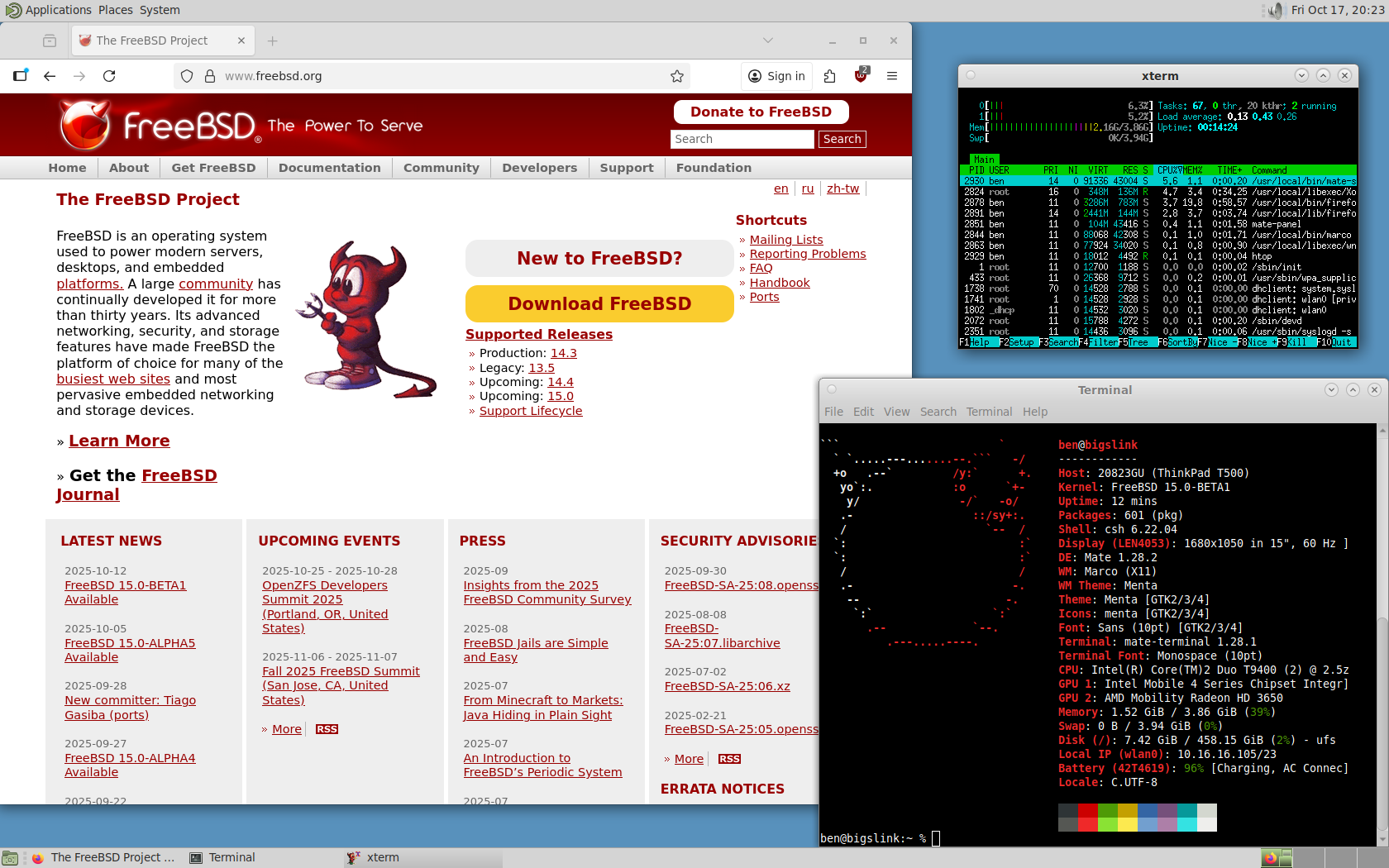
Trying out FreeBSD 15.0 BETA 1 on ThinkPad T500

Screenshot
FreeBSD 15 running MATE Desktop

I for one am definitely looking forward to FreeBSD 15 RELEASE! 14.3 brought strong improvements, and things can only get better. Going to be putting it on my X1 Carbon Gen 3 soon, but for now I figured I’d try it on a spare machine. Nice to see it got going with hardly any effort on this 15+ year old machine! Just had to do a bit of manual X.Org config tweaking…

For a Core 2 Duo with 4 GB RAM in 2025, it runs surprisingly well. I’m posting from this machine right now 🙂

Upgrading the home network…

At a crossroads here…

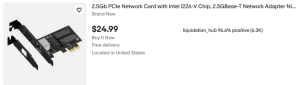
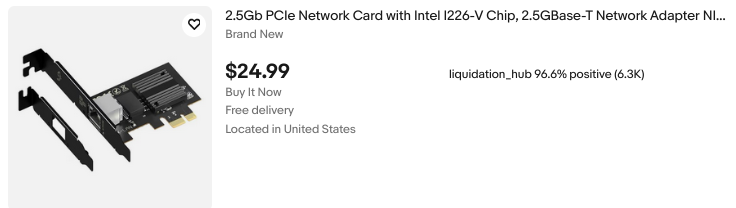
Perhaps you saw the last post about upgrading the WiFi card on my desktop’s new motherboard? Well, about a week or two later, I finally ran and fished Cat6 from the server/router to my desk. So now I’ve got solid 1000 MB Ethernet… for now. I think 10 GB would be great, and eBay has plenty of cheap high-end cards from the likes of Intel, Chelsio, and Mellanox (NVIDIA). They’re cheap too — $12 to $20 per card kind of cheap. With a pair of cards, I can do 10 gigabit between my desktop and my server.

The thing is, I’ve only got 100/1000 MB switches. That’s okay though. I’m thinking I might take motivation from an old Level1Techs video, The Forbidden Router. ( Link )

If I put a dual 10 GB NIC in the server, I’ll have the Intel GB Ethernet for a WAN interface and then two 10G ports for LAN (the machine itself bridged to that “LAN” interface). That can then feed into my normal switch and WiFi AP.

Two things though:

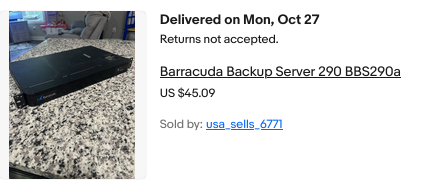
The Lenovo Tiny PC I’m using has no PCI-E slot. It also only has one SATA port. I want to add an internal 8TB WD hard disk and a couple of 1–2 TB SSDs for network storage. And with 10 gig, why not?! This keeps the extra mess out of my new desktop build. So I’m thinking “NAS/router combo.” I already run virtual machines to keep things separated, and this would just add more benefits by having one well-configured box.

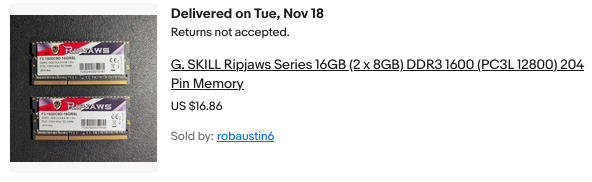
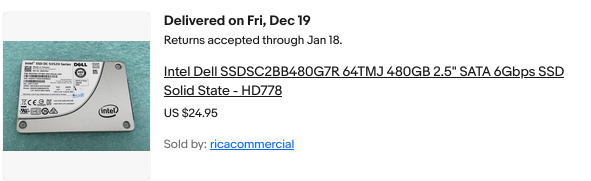
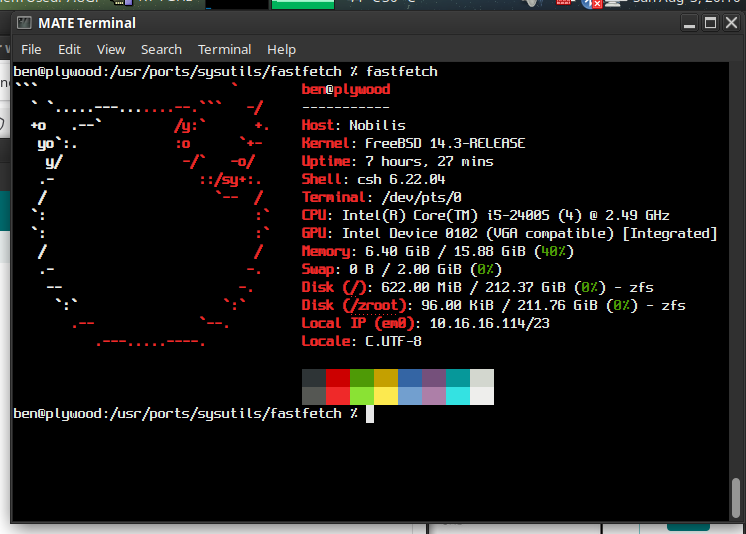
It’d have to be a different box though. I’ve been playing with some used hardware I picked up, which I think will work out nicely for the job of an all-in-one server/router solution (see below). I’m trying out FreeBSD’s bhyve for the first time, and ZFS as well! So far, so good. Will I end up using FreeBSD though? Probably not, but I’m on the fence.

Trying it out has made me realize how comfortable and productive I actually am on Linux… I think it may be wiser to stick with that for the serious stuff I depend on.

The hostname? Well, it needed a quick and dirty case… and I have no ITX cases 🙂

B550M AORUS ELITE AX — Replacing the lousy WiFi!

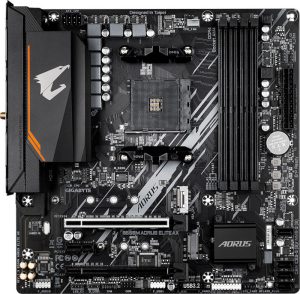
Finally decided to retire the Haswell system I’ve been using, and ordered up some AM4 goodies during the recent Prime Day sale. I grabbed an AMD Ryzen 7 5800X (8-core, 16-thread), 32 GB of DDR4-3600, and the Gigabyte AORUS Elite AX (Rev 1.3) motherboard. The CPU was the main draw — it was only $130! The board was on sale for $90 (currently $149.99 on Amazon).

Aorus Elite AX Rev 1.3

Thus far I am happy with this motherboard. It doesn’t give me the same vibe of Gigabyte superior value which I got back in the day from the likes of the classics — GA-EP45-UD3P comes to mind! — but, for under $100 it seems quite adequate.

The included WiFi leaves much to be desired though… Maybe it works fine on Windows?? On Linux, I was only seeing 2 bars and maybe 300 – 400 Mbps.

The solution? Grab yourself an AX210.
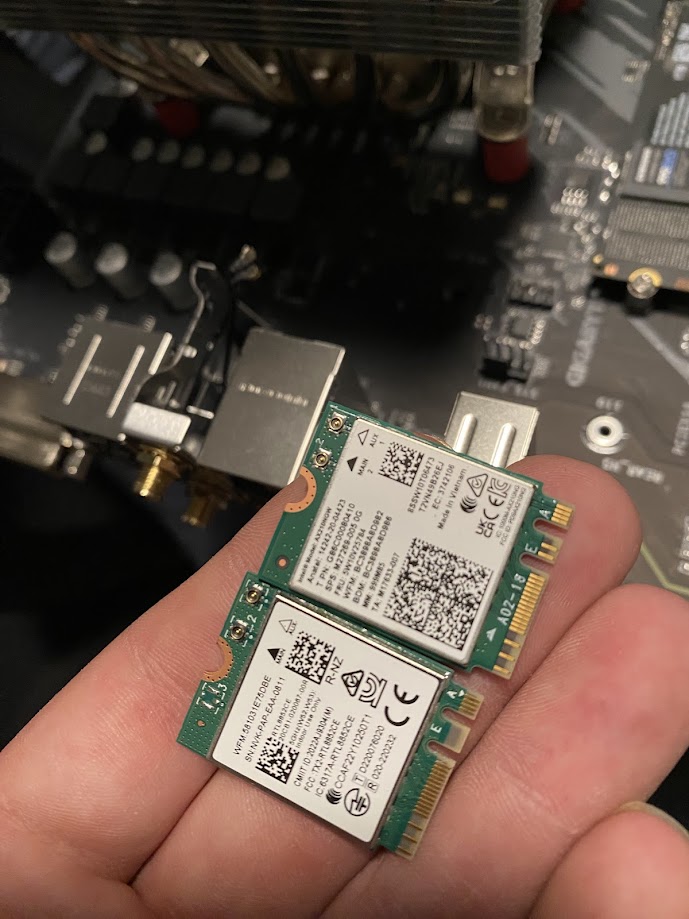
Intel wireless cards have excellent support on Linux and BSD alike. For just $20–$30 online, you can replace the built-in Realtek card. It takes about half a dozen screws to open the board and swap the M.2 module. I highly recommend tweezers for disconnecting and reattaching the tiny U.FL antenna connectors.

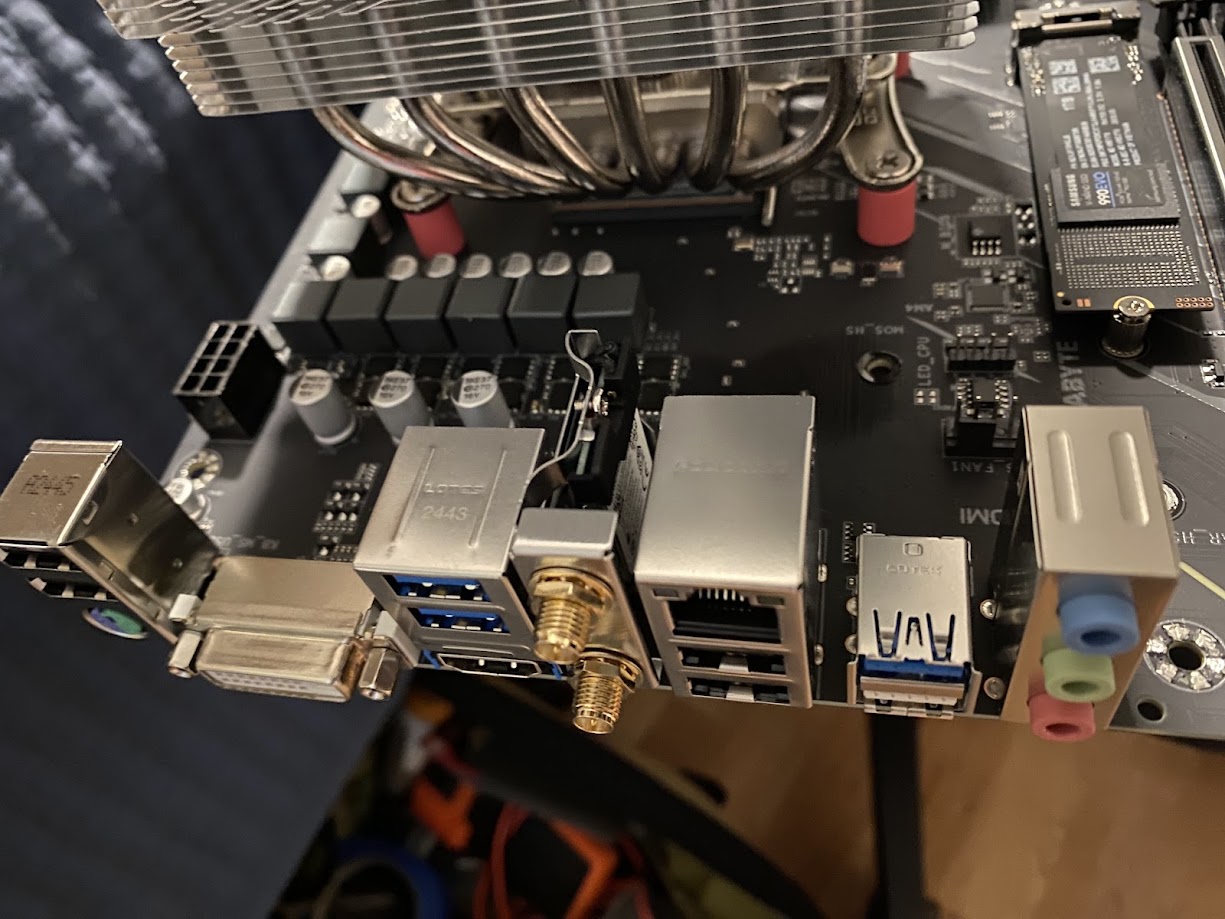
Where’s the Wi-Fi module located?

Motherboard WiFi
Board with VRM heatsink and shroud removed
WiFi Cards
Realtek NIC beside the new Intel AX 210

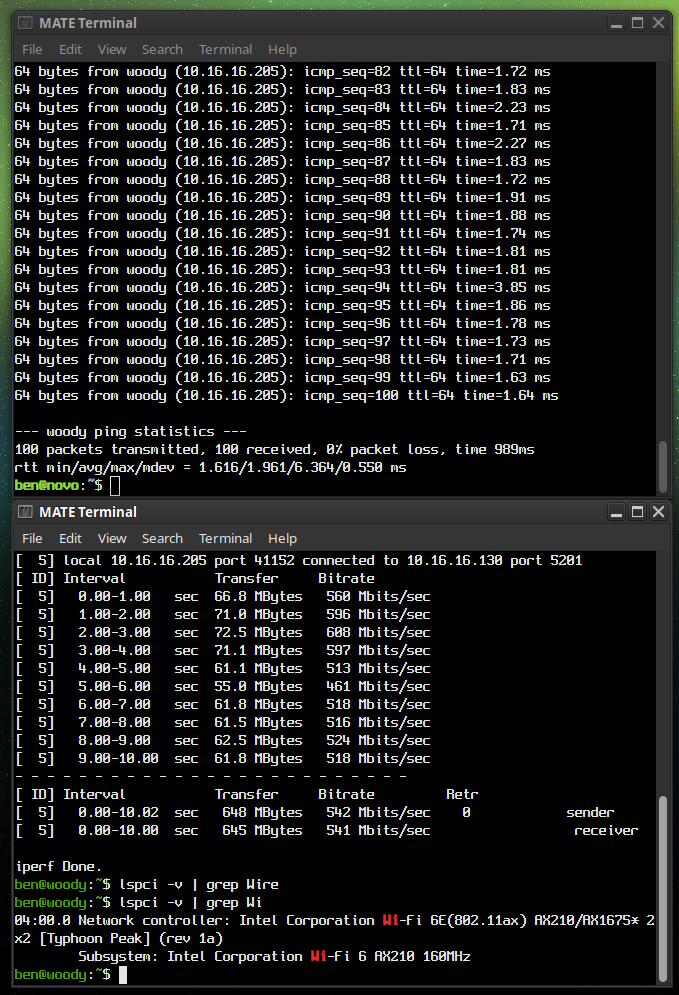
My pings are now way, better. Night and day. And the speed is a solid 100 Mbps better, or more. See for yourself!

AX 210 Results
AX210 Results: iPerf3 Test and 100 pings to my server

OpenBSD 7.7 Released Today!

OpenBSD 7.7
OpenBSD 7.7 — The 58th release from the OpenBSD project.

Happy to see that OpenBSD 7.7 is officially released! What’s new? More than I’ll even try to list here. Well… that’s a lie! I’ve got to mention some of it.

Personally, I was definitely pleased to see amongst the changes there are lots of kernel improvements. Many SMP enhancments, New AMDGPU hardware supported, as-well as Intel Arrow Lake. Perhaps post exciting is they’ve updated DRM to Linux 6.12.21. Also
acpipci now active on hypervisors, resolving longstanding  SeaBIOS/qemu issues

Highlights for the 7.7 Release include:

  • Enabled AP power state initialization fix for M1 MacBook on latest firmware.
  • Implemented support for ARM64 SVE (Scalable Vector Extension).
  • Added AMD SEV guest boot support on QEMU with EFI and SEV firmware management via psp(4).
  • Unlocked TCP output, timers, and accept(2) — significantly improving SMP scalability and parallelism for TCP workloads.
  • Updated Direct Rendering Manager (drm(4)) to Linux 6.12.21, with new hardware support for AMD Ryzen AI 300, Navi 48 GPUs, and Intel Arrow Lake.
  • Improved out-of-memory (OOM) handling and made page daemon operations more efficient.
  • Implemented per-CPU ringbuffers for dt(4) and extended btrace(8) with additional units and multiline script support.
  • Introduced kern.audio.kbdcontrol sysctl(2) to optionally treat multimedia keyboard volume keys as regular keys.
  • Allowed sysctl(8) to apply settings from a file in one command with -f, simplifying rc(8) startup.
  • Enabled shared netlocks for TCP send/recv system calls — improving multi-threaded network performance.

https://www.openbsd.org/77.html

New FOSS Releases for April 2025


FOSS NEWS — April 2025

Figured I’d try something new and cover a few topics at once in a sort of, monthly roundup! We’re midway through April, so this will go over what’s happening this month and shortly thereafter. Naturally, focusing on the projects I am personally most interested in.

Fedora 42 – Releasing April 15th (Tuesday!)

42? The answer to life, the universe and more?? Its not even out yet, at the 42 refrences are already wearing a little thin for me, hah. None the less, Fedora 42 comes out this coming Monday. Some points of interest:

New Anaconda Web UI Installer provides an enhanced, intuitive interface.
Python 3.8 Retirement – Python 3.8 has reached EOL status
KDE Plasma – Now a full-fledged desktop option, not just a “spin” flavor. The KDE special interest group has been working on integrating the latest Plasma applications and testing them for ensured stability.


Debian 13 Trixie – Freeze Timeline

I’ve been running Trixie on my desktop for a few months now, and because it is so close to freeze I have recently decided to put it on my X1 Carbon as well. So far, everything has been fantastic.

Transition and Toolchain Freeze – March 15th (Done)
Soft Freeze – April 15th (This coming Monday)
Hard Freeze – May 15th

The final release date for Debian Trixie is yet to be announced, but it is expected to be around June or August of this year.

Major changes in Debian 13:
Trixie will use the 6.12 LTS kernel
KDE Plasma 6
Addition of official RISC-V 64-bit support
Dropping support for the mipsel architecture
Removal of i386 & armel installers

Ubuntu 25.04 Plucky Puffin

The 25.04 (non-LTS) release of Ubuntu will release on April 17th, with 9 months of standard support.

Plucky Puffin will feature:
Gnome 48
– Improved responsiveness and a new “wellbeing feature”
Wayland continues as default display server
Compiler optimization level changed from -02 to -03
– Aiming to boost execution speeds and performance
Linux Kernel 6.14
ZFS and BTRFS Optimizations
– Atomic updates and rollbacks inspired by NixOS are now supported
New Security Center dashboard – Centralized firewall, update and vulnerability management.
Chrony updated for encrypted time sync
Netplan Enhancments now supporting WPA-PSK-SHA256 wifi

The release candidate came out two days ago, and we’ll see the final release on Thursday the 17th.

FreeBSD 14.3 – Releasing in June

I’m definitely looking forward to this release, and we should be seeing BETA releases next month. Final release is scheduled for June 3rd.

14.3 will introduce support for 32-bit UEFI systems; benefiting users with older 32 bit EFI systems which have 64 bit CPUs. Updates to storage controller and network interface drivers are also in the works.

WiFi Improvements
Intel WiFi driver enhancements have been a goal; improving the iwlwifi(4) driver, addressing bugs and adding hardware crypto support.
Work has been done on porting the iwx driver over from OpenBSD to enable 802.11ac and 802.11ax functionality. This driver supports the Intel AX200, AX210 and AX201/AX211 adapters.

The 14.x series has been nothing shy of Impressive when it comes to performance, and I have no doubts that 14.3 will continue to deliver on that front.

My Thoughts on OpenBSD

Puffy
A completely FREE, multi-platform 4.4BSD-based UNIX-like operating system with a strong focus on proactive security and integrated cryptography.


First of all, I’m going to disclose that
I haven’t really used OpenBSD extensively for my daily computing. While I’ve installed it several times, I always ended up choosing something else in the end. I was particularly interested in trying it out on my web server and even thought about using it on my ThinkPad. The installations went smoothly, and the hardware was well-supported. These are my thoughts on OpenBSD, why I’m not using it right now and why I may use it in the future.

    Setting up OpenBSD with a graphical X11 desktop, FVWM window manager, and xenocara display manager is surprisingly easy, even for someone without any previous experience. It’s straightforward to get started, and the default security measures can be a definite plus. However, to use it effectively without these features becoming a hindrance, you need to understand the relationship between OpenBSD and their vision of a secure Unix sytem.

    When it comes to partitioning, OpenBSD’s approach to partitioning is definitely not much like your typical modern Linux distribution. If you’re used to the very simple, one size fits all with just a big root (/) and maybe a couple GB for swap, this may seem foreign. Each partition should be sized carefully.  They’ll have their own unique locked down permissions, which can enhance security. For example, an X11 installation typically remains stable in size, including a little wiggle room for updates. While all Unix-like systems use permissions, OpenBSD takes it to another level. This can be great for security but requires some learning to manage effectively.  This table from their manual page does a much better job as a visual representation than anything I could put into words.


“The exact set of partitions created depends on available free space, how fragmented the free space is and some machine dependent variables, but will be approximately (as follows)”

> 10GB Free > 2.5GB > 700MB < 700MB
/ 150MB –   1GB 800MB –   2GB 700MB –   4GB 1MB – 2GB
swap  80MB – 256MB  80MB – 256MB   1MB – 256MB
/usr 1.5GB –  30GB 1.5GB –  30GB
/home   1GB – 300GB 256MB –   2GB
/tmp 120MB –   4GB
/var  80MB –   4GB
/usr/X11R6 384MB –   1GB
/usr/local   1GB –  20GB
/usr/src   2GB –   5GB
/usr/obj   5GB –   6GB

Source: Disk Allocation, The OpenBSD Man Page
Server [
link
]


    This will be a common theme on OpenBSD. Security. You’ll definitely see that given the option, most things will take the back seat to security if the choice arises. This isn’t a bad idea, but I can see how some people get the idea you’d have to be at least a little paranoid to want an OS as locked down and granular as this one. Or Maybe I’m just a s*** sysadmin?? Never the less…

Personally, my main gripe is that I can be quite particular about certain things. I prefer not to set half a dozen just shy of a dozen static partition sizes that can’t be easily adjusted later without redoing others. I don’t want to spend hours researching and comparing just to get everything perfect! You can opt for auto-partitioning, which I recommend, but depending on your disk size, adding extra packages can be hit or miss. I did an install on a 16 GB SSD recently and found that I was quickly completely out of room after installing an additional desktop environment and web browser. I’ve used the same tiny SSD without incident on Debian and FreeBSD with many more applications installed, so it is down to the partitioning. I can’t really fault OpenBSD for this, because I’m the lazy hack that wanted auto-partitioning, but my point is some things just don’t need to be so complicated.

Installing software is straightforward, although OpenBSD has its own rules. For instance, if I recall correctly, only members of staff can allocate more than 1024 MB of memory to their processes. This detail is crucial for tasks like running a database server or even just using Firefox with multiple tabs. This is very easily changed by simply editing a config file, but it is something to be aware of.

As for customization, OpenBSD is a lean and clean OS that offers a high degree of fine-grained control for those willing to invest time in learning it. However, for my needs, FreeBSD and Linux seem to have fewer complexities, and I find it hard to justify the time required to master OpenBSD. For something like a server I could see the initial time investment paying off in return for a long and secure service life.

Some of OpenBSDs features wont appeal to everyone. For instance, hyper-threading is disabled by default to enhance security against CPU exploits related to side-channel attacks. While this is a prudent security measure, it may impact performance. OpenBSD, despite being lightweight, might be less performant than FreeBSD or Linux in similar scenarios. Nevertheless, if OpenBSD’s security model aligns with your needs, performance considerations may become less critical.

    Overall, I think OpenBSD is fantastic. However, it’s not my go-to choice for my main machine. I have considered using it for a web server where maximum performance isn’t critical, as my server typically only deals with a load at a fraction of its capacity. OpenBSD is undeniably a robust and secure Unix-like operating system, with excellent documentation and from what I’ve heard some very clean code. To those interested; I’d definitely recommend that you check it out. Ironically, in light of any complaints I have stated above it really is probably the easiest BSD system to get up and running with a full graphical desktop.


Read more about:    Operating Systems    Software

Operating System Recommendations

OpenBSD: My thoughts on using it
Raspberry Pi 5: My list of 16 different Operating Systems

Note: These two aren’t my top picks, they’re featured up top here because they have their own pages. The rest of the links here will take you right to website of the project being described.

Fedora MATE-Compiz Desktop Spin

The Fedora Project started in 2003 as a continuation of the Red Hat Linux project.  Fedora is the upstream source for Red Hat Enterprise Linux as-well as Cent OS Stream. New versions of Fedora are released every 6 months, each release is supported for at least 13 months.
If you want a fresh experience, with new and fresh packages then Fedora is a great option.  At the moment of writing this I’m running version 40 with the 6.8.9 Linux Kernel.  Updates are quite frequent, and the dnf package management tool is great.  If you prefer a stable, more static system which updates less frequently then I’d recommend Debian instead.

Debian Bookworm

Debian has been around for a while, starting up way back in 1993. It is among the oldest Linux Distributions still in active development, second only to Slackware.  Debian is a community run project, unlike Fedora.  Debian’s repository offers more than 50,000 packages.  It is one of fewer and fewer distributions to still support the 32 bit Intel architecture, meaning it can be installed easily on any  x86 PC made in the last 25+ years. APT, the Advanced Packaging Tool makes searching for and installing software on Debian incredibly easy. Even for users whom are new to Linux.
Releases in the form of a new stable branch are released about every two years, and receive official support for three years. Incremental point releases are made available every few months. Even after EOL (end of life), a release receives an additional two years of security updates.
If you want a rock-solid stable Linux experience, and you’re okay not having the very latest packages then Debian may be perfect for you.  With 5 years in total of security updates per release, you don’t need to worry about major upgrades breaking anything.  Between the long term support period and the vast landscape of available packages, Debian makes an excellent server operating system.  If you want a stable system which “just works”, honestly it is a great choice to run on for workstations as well.

FreeBSD 14.0 RELEASE

Also released in 1993, FreeBSD is a descendant of the Berkeley Software Distribution (BSD).  BSD, originally named Berkeley Unix was based on the source code of the original Bell Labs Unix.  FreeBSD is a complete operating system, comprised of kernel, drivers, user-land, and documentation.  This differs from Linux in that Linux is only a kernel, with drivers. Combined with GNU utilities, you get GNU/Linux — people now just call it “Linux”.
FreeBSD is the most popular open source BSD operating system, and code from FreeBSD can be found in macOS, iOS, TrueNAS and in the operating systems which run on both the PlayStation 4 / 5 and Nintendo Switch.
While some use it on the desktop, myself included, FreeBSD really shines in the server space.  The advanced OpenZFS filesystem and robust TCP/IP stack make an incredibly strong platform for high demand environments.  Check out: Serving Netflix Video at 400Gb/s on FreeBSD

Devuan Daedalus

So, starting with Jessie, Debian switched to the systemd init and service manager.  A lot of people were not happy about it, and as a result Debian was forked.  Devuan is just Debian, but they make offer you a choice of using sysvinit, OpenRC or runit.  Default desktop environment is XFCE instead of GNOME, so that’s a plus in my book as well.  For most people, I’d recommend just using regular Debian.  Devuan is a nice option in certain cases though, and since it is an absolute nightmare trying to change a normal Debian install from systemd to literally anything else, I can totally see why people felt the need to have a fork.

My Operating Systems Journey

Like many among us, I was once a Windows user.  Hell, between you and me?  I may have even liked Windows.  For a while.  I liked Windows 2000 and XP quite a bit, they get out of the users’ way and let them get real work done.  They weren’t bloated, even XP pre SP2 is completely usable on anything better than the slowest Pentium II.  NT 4 was also great, and I used that quite a bit as a kid in school.  XP was king of the hill, for a long time.  Too long.  My first taste of it was in 2002, and coming from Windows 95 I absolutely loved it.  The family PC had an Athlon XP /w 256 MB DDR RAM; that was bought with XP and of course ran it quite well.  My personal laptop at the time was a ThinkPad 390E.  My 390E had been upgraded to 128MB RAM, and rocked a Pentium II @ 333 MHz.  That old ThinkPad actually ran XP extremely well.  Bear in mind, of course, this was a computer which was only a few years older than XP. The 390E came out in 1999.  Tech was evolving MUCH more rapidly during this time though, and moor’s law held truer than ever.

In 2003 I was given a set of Red Hat Linux 9 installation CDs.  Computers were my thing, naturally I had to check it out.  I wasn’t ready to give up my stable XP experience on my laptop as a complete Linux newbie, and instead played around with the OS on various older PCs I had.  I liked it, certain things sort of amazed me.  The sheer volume of software included across those three CDs was mind blowing to me at that time; I’d never seen anything like it.  My experience until that point was: Install windows. It comes with wordpad, calc, solitaire, etc.  So that’s one, whole CD.  Install MS Office; that’s another, whole, CD.  A game?  It’s own CD.  So in a three disc set having literally dozens of applications was kind of amazing.  Full office software suite, web browser, email client, irc client, complete software development environment, media players, games.  What about themes? How about multiple desktop environments. Both KDE and GNOME at this point time, looked & felt TOP notch, in my opinion.  One thing stuck out even more so to me though. Xscreensaver.  It was beautiful.  Hundreds of incredible screensavers, many of which had impressive 3D / OpenGL graphics.  I still remember the moment I realized that the Linux install I had done had SO MANY awesome screensavers.  Mind blown.  Remember, at this time I didn’t have broadband — just dial-up.  Becoming more interested in Linux, I wanted to run Fedora Core.  I still remember going over to my uncle’s house, and thinking it was the coolest thing in the world that he had not only broadband, but 802.11b wifi.  And it was in that way, I obtained Fedora Core 3, 4, 5 and 6, between 2003 and 2006 roughly.  Took several pages in my software binder.  Four CDs per page in the binder, but each release took 4 – 6 discs.

I ran XP into the early days of Windows 8.1.  During the Windows 7 days, XP was still quite well supported or even dominant for the most part.  Windows 7 was good, but I really only used it at work.  8.1 with classic shell was good for me, better than many would probably think.  After the start of what is now known to be the typical M$ experience, I was all set. For those who don’t know, I’m talking about bullshit like: Ads in Start menu, One day you boot up your PC and now all of the sudden it’s running Windows 10 (and did this without asking, or after you said “No”).  Forcing updates which could compromise stability, downloads which waste bandwidth, and a non-optional upgrade to a whole new OS version is completely unacceptable.  It shows that Microsoft has absolutely no respect for their users.  These harmful behaviors were carried out at the cost of many users sanity and productivity more importantly.

If the user can’t be trusted to install their own updates, so they can plan accordingly for bugs / downtime, I’m all set. I’ll use something else gladly.

Prior to all this, I had stopped using Linux in a “here and there” casual capacity when Gnome 3 came out.  It was awful, and ruined Linux for me.  I can still vividly remember tossing together some parts I had into a system to use in my workshop.  I figure, lets give Linux a try, it’ll be perfect for this kind of casual use — web browsing, playing MP3s.  Bog standard Pentium 4 3 GHz, 1 GB RAM… I booted up into Fedora Live (circa 2011).  Literal slideshow.  I was beyond disappointed.

Three years later I started using Lubuntu, and was satisfied enough with it to use it full time for the next six years or so.  This was when Lubuntu used the lightweight X11 desktop environment; LXDE.  Around 2019 they switched to LXQT, which I’m not quite so much a fan of.  I went to Ubuntu Mate and Xubuntu for a while, and then realized that regular Debian was better in every conceivable way.

Today I use Fedora and FreeBSD on the desktop, Debian and FreeBSD on servers.  I still don’t like modern Gnome, though it has gotten immensely better than it was back when it first came out.  I use MATE or LXDE 99% of the time I’m in a GUI.  They’re both lightweight and solid.  MATE has more creature comforts, and offers me a more productive layout.  Out of the box it has a fair bit more included than LXDE.  That said, LXDE is great for low end hardware or laptops with lower screen resolutions.  And, if you like bare bones and building it yourself, LXDE is a great option because it doesn’t come with any fluff you don’t need.  Because most distributions package LXDE with Openbox as the window manager, it is a great way to get Openbox up and running with a regular taskbar / familiar desktop layout.

You can read more about desktop environments and window managers over on the Packages page. See some of my favorite BSD/Linux/Mac wallpapers.

© 2025 LostGeek.NET - All Rights Reserved. Powered by ClassicPress, NGINX, Debian GNU/Linux.