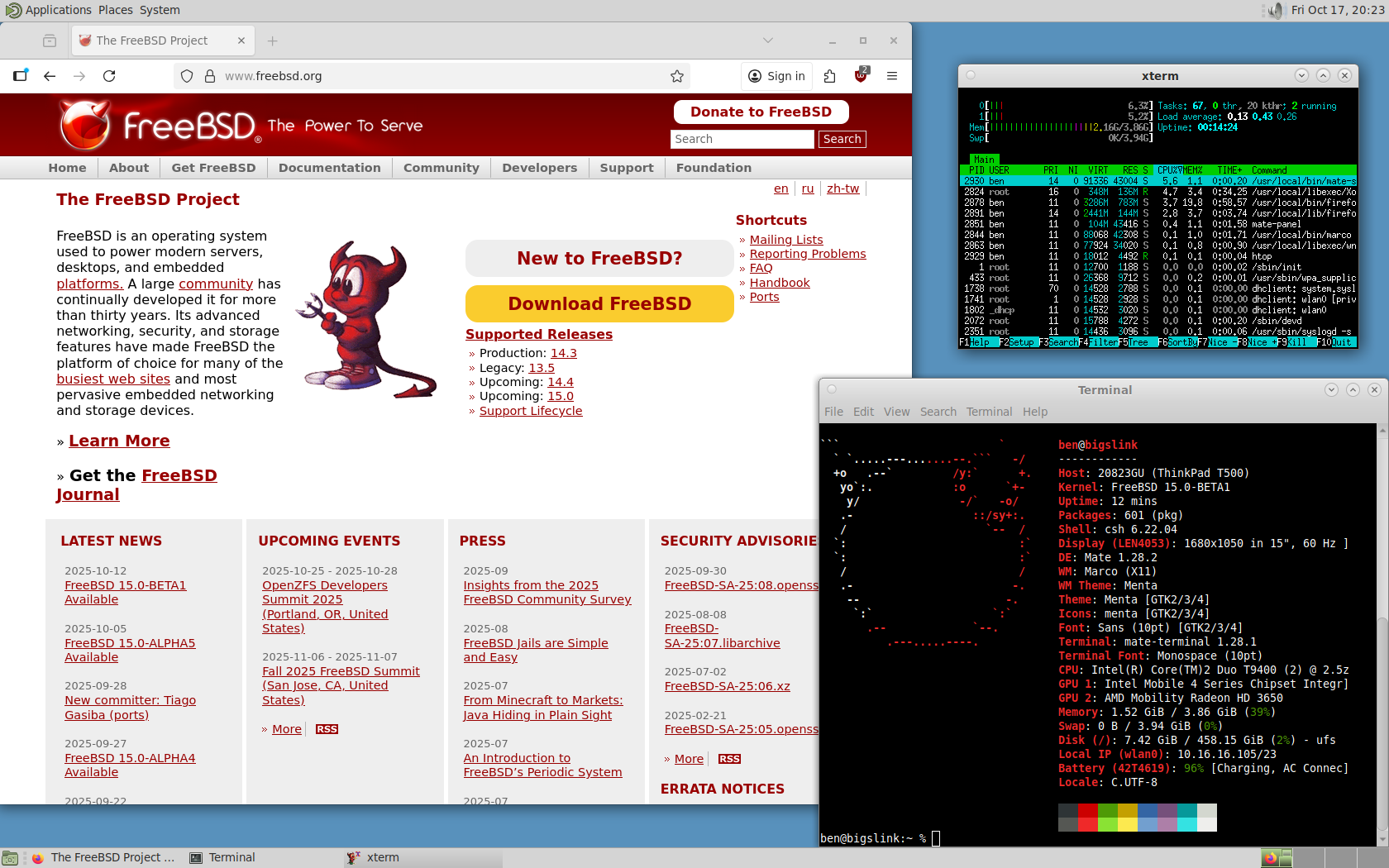
I for one am definitely looking forward to FreeBSD 15 RELEASE! 14.3 brought strong improvements, and things can only get better. Going to be putting it on my X1 Carbon Gen 3 soon, but for now I figured I’d try it on a spare machine. Nice to see it got going with hardly any effort on this 15+ year old machine! Just had to do a bit of manual X.Org config tweaking…
For a Core 2 Duo with 4 GB RAM in 2025, it runs surprisingly well. I’m posting from this machine right now 🙂
For most people these days, screensavers have died off.
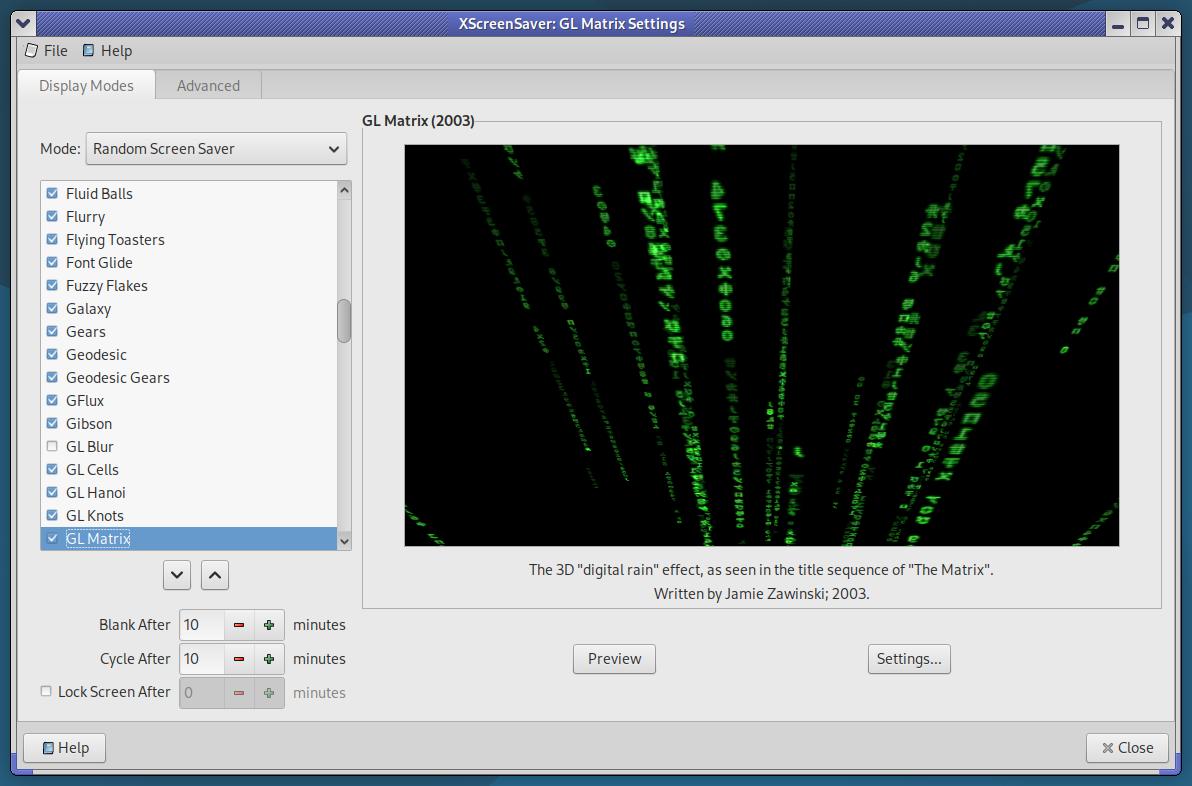
XScreenSaver Settings on Debian 12
I still like having them. And while most people have moved on from X.Org on Linux, well… here we are.
The 5300U in my ThinkPad has more than enough GPU power to display some beautiful screensavers. But by default, the system will ramp up into a higher performance state — because normally, that’s exactly what you’d want. Like if you were playing a game, or trying to load some bloated modern website.
But my idle laptop? I don’t want it getting all hot while it’s sitting on my lap or on the bed, just because it’s running a screensaver. So this is my little attempt to fix that — and it’s looking pretty promising.
The idea:
When XScreenSaver runs one of its screen hacks (screensavers), we’ll put the CPU into its lowest available frequency. That way, even when running hardware-accelerated 3D, the system will stay nice and cool.
Fortunately, the author of XScreenSaver — Jamie Zawinski — is a pretty smart dude, and the software already includes a clean little mechanism we can hook into to make this work.
Here’s how I’ve got it set up:
Create a script in your home folder, or wherever you want. xscreensaver_freq_watch.sh
#!/bin/bash
# Save current CPU and GPU max frequencies
CPU_MAX_BEFORE=$(cat /sys/devices/system/cpu/cpu0/cpufreq/scaling_max_freq)
GPU_MAX_BEFORE=$(cat /sys/class/drm/card0/gt_max_freq_mhz)
# Watch xscreensaver events
xscreensaver-command -watch | while read -r line
do
case “$line” in
LOCK*)
# Optional: do something on screen lock
;;
UNBLANK*)
echo “Screensaver stopped — restoring frequencies…”
echo $CPU_MAX_BEFORE | sudo tee /sys/devices/system/cpu/cpu*/cpufreq/scaling_max_freq > /dev/null
echo $GPU_MAX_BEFORE | sudo tee /sys/class/drm/card0/gt_max_freq_mhz > /dev/null
;;
BLANK*)
echo “Screensaver started — limiting frequencies…”
echo 500000 | sudo tee /sys/devices/system/cpu/cpu*/cpufreq/scaling_max_freq > /dev/null
echo 300 | sudo tee /sys/class/drm/card0/gt_max_freq_mhz > /dev/null
;;
esac
done
Of course, make it exactable with chmod +x. Also, use nopasswd in your /etc/sudoers line for your user.
Now because I’m using MATE / LightDM, I’m going to use a .desktop file. You could do something else, .xinitrc or a systemd service, but this is how I did it.
[Desktop Entry]
Type=Application
Exec=/home/ben/screensaver_freq_watch.sh
Hidden=false
NoDisplay=false
X-GNOME-Autostart-enabled=true
Name=Screensaver Frequency Watcher
Comment=Limits CPU and GPU frequencies while the screensaver is running
So far, it’s looking good! You may need to change this a bit depending on your configuration.
Wanted to make a note of clarifying a post I made on the former weblog back on Feb 2nd: “Firefox Crashing X11”
In that post, I explain that my T400 ThinkPad experiences X.org crashes on average once or twice a day. This was on both Debian 12, and FreeBSD 13. On FireFox from the main repo, FF ESR, and even on the latest FireFox which I went out of the way to get V134 set up on Debian Stable. I thought this fixed the problem, but I was wrong.
Pretty sure it has something to do with the machine’s ancient GMA 4500 (or the 915 driver) and some GL stuff which when it tries to run, X just immediately crashes.
Just wanted to say that I’ve been running Alpine Linux on the old ThinkPad, and my web experience has been rock solid. No more issues. I occasionally boot back into Debian, and still happening there but whatever. At some point I’ll do the necessary digging if the problem persists so I can properly report the bug.
But anyway, Debian is nice for old machines. Debian without systemd is quite light and nimble, indeed. But Alpine? Alpine is like an arrow and a feather, as one. HIGHLY recommended! I’ve been running it off a 16 GB SATA DOM in the ultra bay. https://alpinelinux.org
Only had the issue on my T400, but it was an issue under FreeBSD 13.4 /w the FireFox/FireFox ESR available from pkg… and the same darn thing is happening with Debian Bookworm. I’m wondering if the ancient Core 2 Duo is playing a role here… (tries to do X unsupported thing… & crash. ?)
Mostly when doing a search on google… and you click a link and BAM, back to the tty. (or login greeter screen)
Not the browser crashing either, when this happens it kills the whole X server. So not cool! Luckily I didn’t loose any work when this happened, and it has happened about half a dozen times or more. Saving frequently saves the day. I thought I was getting somewhere when I saw a post about trying to disable the HW acceleration option in FF preferences, and I did try. Unfortunately though, no luck.
Something did seem to work though, using the latest FF package from Mozilla. Here is an excellent, easy to follow cut & paste to get you the latest Firefox on Debian: https://support.mozilla.org/en-US/kb/install-firefox-linux
That got me to v 134, and the problem appears to be gone.
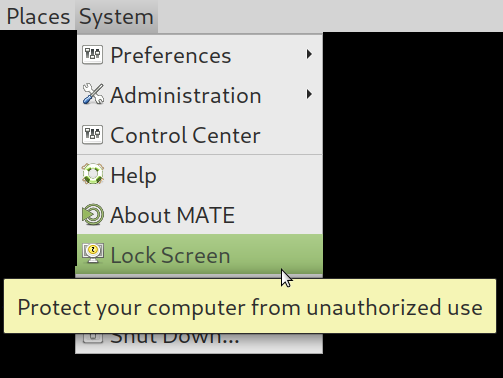
If you’re using Gnome/MATE screensaver (or locker), I’d recommend you don’t. Weather it is because you value X locking security, or just admit it they’re cool screensavers, toss that in the bin and install the real deal.. XScreenSaver.
I have written a script which takes care of all of the following: 1. On Debian, XScreenSaver needs you to manually specify 4 packages to get the program, “extra” savers, gl savers, and “gl extra” savers. This will get you the complete collection, as the author distributes it. 2. Remove MATE Screensaver 3. Apt pin / pref so MATE Screensaver isn’t reinstalled next time you run apt, because MATE Desktop thinks it needs it 4. Autostarts XScreenSaver 5. makes a soft link so you can still lock from the “System” menu up top, and click “Lock Screen”. Now XS will do it.
This will save me HOURS over time.
Get it here: http://lostgeek.net/files/xscreensaver-mate.sh

 This is a follow-up to