This is very exciting, and incredibly cool to see. I bought the Editor’s Choice box set back in the day and this was one of the first big box games I owned with native Linux support.
FreeBSD 15.0: Notable Improvements for Desktop and Laptop Users
FreeBSD 15.0 introduces a range of updates that strengthen the system’s usability on desktops, laptops, and general-purpose machines. Several areas that matter most to daily users—networking, graphics, and desktop environments—see meaningful development in this release.
A key update is expanded WiFi support. FreeBSD 15.0 adds drivers for Realtek’s rtw88 and rtw89 chipsets, used in many current laptops. Intel iwlwifi support has also been refined, and the installation media now includes a dedicated WiFi firmware package, making it easier for a wider range of wireless adapters to function immediately after installation.
Graphics hardware support also advances. By incorporating newer Linux DRM driver code, FreeBSD improves compatibility and performance on modern Intel and AMD GPUs. This benefits both X11 and Wayland sessions, with smoother acceleration and more consistent behavior across display setups.
Desktop environments gain from this foundation. KDE Plasma, GNOME, Xfce and others continue to be available through packages, and improved hardware support helps these environments run more reliably. Work on a more desktop-friendly installer is ongoing and aims to simplify initial setup in future releases.
The system as a whole also receives updates. Optimized libc routines bring performance improvements on amd64, and various device drivers—covering networking, audio, PCI, and storage—have been updated for better compatibility and stability.
Taken together, these changes make FreeBSD 15.0 a solid release for users running the system on everyday hardware, offering broader support and a smoother experience across a wide range of setups.
Less than three months after the official release of Debian 13 “Trixie,” the Devuan project has officially launched Devuan 6.0 “Excalibur” on November 2nd, 2025.
Excalibur brings all the benefits of Debian 13’s updated packages, modern kernels, and long-term support while staying true to Devuan’s systemd-free philosophy. The release ensures that alternative init systems like sysvinit and runit integrate smoothly, and existing Devuan users can plan upgrades with confidence.
For the Devuan community, this release represents a stable, up-to-date option for both new installations and older hardware users who want the reliability of Debian without systemd. If you’ve been waiting to move to a fresh, modern, yet systemd-free environment, Excalibur is ready to download and install.
OpenBSD 7.8, is another careful step forward that strengthens daily usability across laptops, desktops, and ARM64 systems. While this release isn’t radically new, the OpenBSD team continues to refine and expand their legendary system in all the right places.
The most visible change is Raspberry Pi 5 support. OpenBSD now boots cleanly on the Pi 5 with working SDHC storage, Ethernet, and Wi-Fi power management through new RP1 and sdhc drivers. That takes the board from experimental to genuinely usable. Additional ARM64 updates improve clock, PWM, and RTC support on newer SoCs, broadening the list of hardware that “just works.”
Power management on laptops sees steady progress. AMD systems handle S0ix suspend and resume more reliably, and the amdgpu driver now sleeps and wakes properly under S3. Laptops with GPIO-based lid sensors can suspend and resume cleanly, and hibernation reliability improves with better pre-allocation during boot. Small changes, but together they make OpenBSD behave more predictably on modern notebooks.
Networking performance benefits from new multicore TCP and IPv6 input handling, allowing up to eight threads to process traffic in parallel. Several core system calls, such as close() and listen(), were unlocked from global network locks, reducing contention on multi-CPU systems.
Graphics support advances with a DRM update based on Linux 6.12.50, improving amdgpu reliability and adding Qualcomm display controller support. Xorg remains the standard display server, while Wayland continues to function through XWayland and wlroots compositors for those who prefer a modern stack. In ports, GNOME 46 and KDE Plasma 6 are available, keeping desktop environments current alongside updated Firefox and Chromium builds.
The built-in hypervisor gains AMD SEV-ES support for encrypted guests, and the installer adds further safeguards and clearer defaults. Security hardening continues quietly across the base system, with more software adopting pledge and unveil.
OpenBSD 7.8 doesn’t chase trends, but it delivers a more capable, consistent, and secure system across a wider range of hardware. Whether on a modern laptop or a Raspberry Pi 5, this release shows the project’s continued focus on quality and correctness—hallmarks that keep OpenBSD in a class of its own.
Debian 13 “Trixie” is here as of today, August 9, 2025. It’s been a little over two years since Debian 12 “Bookworm” came out on June 10, 2023, and this is one of the most significant stable upgrades in recent memory.
Trixie’s release process followed the usual Debian rhythm. Toolchain freeze hit March 15, soft freeze April 15, hard freeze May 15, full freeze July 27, and now we’re finally at the stable release.
Kernel and Core Changes
Trixie ships with the Linux 6.12 LTS kernel. That brings better hardware support, improved performance, and security hardening. There’s official riscv64 support now, but mipsel is gone. Installer images for i386 and armel have also been dropped. Security hardening has improved on amd64 and arm64, with protection against ROP and COP/JOP attacks. HTTP Boot is now supported out of the box.
KDE Plasma 6 Arrives
When Bookworm launched in 2023 it stuck with Plasma 5.27 LTS because Plasma 6 came out in February 2024 — months after Debian’s freeze. Trixie is the first Debian stable to ship Plasma 6, and for desktop users this could be the single biggest reason to upgrade.
Plasma 6 moves to Qt 6, which improves performance and lowers memory usage. Wayland is now the default with better touch, pen, and gesture support. Fractional scaling works per display, multi-monitor setups are smoother, and there’s early HDR groundwork. Breeze has been refreshed, animations are smoother, and many KDE apps like Dolphin have had major improvements.
GNOME 48
GNOME 48 in Trixie brings a cleaner look, better performance, and refinements across the board. Nautilus has improved search and preview handling. The Settings app has been reorganized for easier navigation. Workspace gestures are more fluid, and core apps integrate better with dark and light modes.
Wayland by Default
Wayland is now the default session for both KDE and GNOME on most hardware. It offers fractional scaling per display, smoother rendering, and improved input handling. PipeWire integration boosts screen recording and streaming performance. NVIDIA proprietary driver support has improved to the point where more users can make Wayland their daily driver. X11 remains available if needed.
Toolchain Updates
GCC is now at 14.2, Python is 3.13, and there are countless package updates. Debian continues its push toward reproducible builds, adds HTTP/3 support in curl, and improves Qt WebEngine with spell-check.
Getting Debian 13
At the time of writing, the main Debian.org “Releases” page hasn’t yet been updated to list Trixie front and center, but the release notes and installers are live. You can grab them directly:
Here is a bit of KDE software which I was not aware of. It was not included in Debian 11 (Bullseye) — you had to build it from source or use third-party packages… However it was officially packaged starting with Debian 12 (Bookworm) and newer.
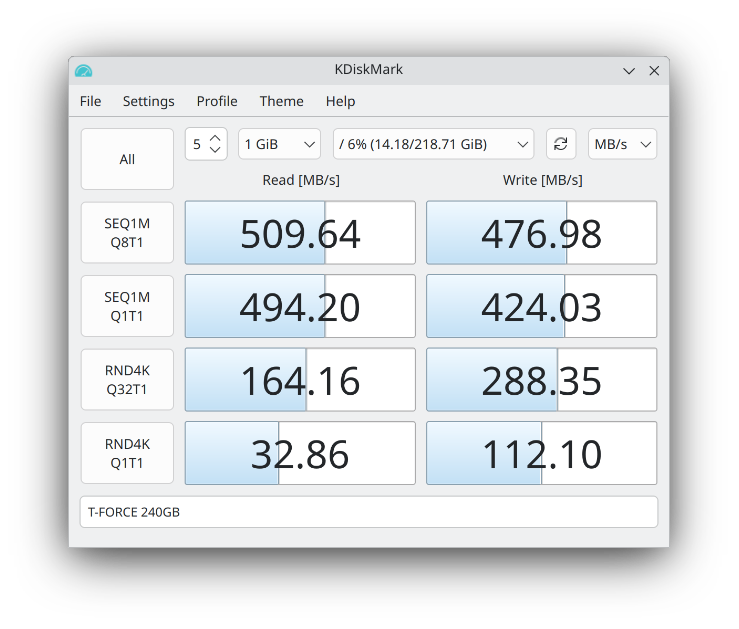
Here it is, running it on Kubuntu 25.04:
KDiskMark 3.1.3 on Kubuntu 25.04
Excellent little tool for those who don’t want to benchmark disks in the terminal via dd / fio. Nothing wrong with healthy feature parity & easy of use!
OpenBSD 7.7 — The 58th release from the OpenBSD project.
Happy to see that OpenBSD 7.7 is officially released! What’s new? More than I’ll even try to list here. Well… that’s a lie! I’ve got to mention some of it.
Personally, I was definitely pleased to see amongst the changes there are lots of kernel improvements. Many SMP enhancments, New AMDGPU hardware supported, as-well as Intel Arrow Lake. Perhaps post exciting is they’ve updated DRM to Linux 6.12.21. Also
acpipci now active on hypervisors, resolving longstanding SeaBIOS/qemu issues
Highlights for the 7.7 Release include:
Enabled AP power state initialization fix for M1 MacBook on latest firmware.
Implemented support for ARM64 SVE (Scalable Vector Extension).
Added AMD SEV guest boot support on QEMU with EFI and SEV firmware management via psp(4).
Unlocked TCP output, timers, and accept(2) — significantly improving SMP scalability and parallelism for TCP workloads.
Updated Direct Rendering Manager (drm(4)) to Linux 6.12.21, with new hardware support for AMD Ryzen AI 300, Navi 48 GPUs, and Intel Arrow Lake.
Improved out-of-memory (OOM) handling and made page daemon operations more efficient.
Implemented per-CPU ringbuffers for dt(4) and extended btrace(8) with additional units and multiline script support.
Introduced kern.audio.kbdcontrol sysctl(2) to optionally treat multimedia keyboard volume keys as regular keys.
Allowed sysctl(8) to apply settings from a file in one command with -f, simplifying rc(8) startup.
Enabled shared netlocks for TCP send/recv system calls — improving multi-threaded network performance.
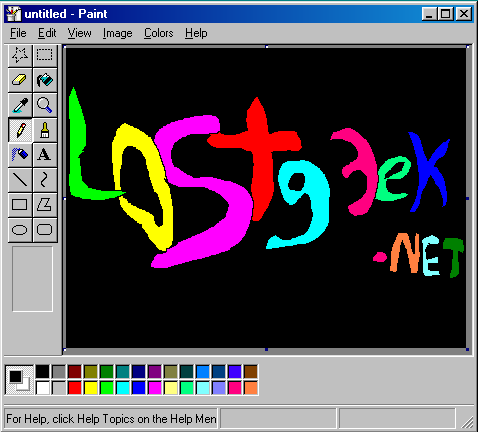
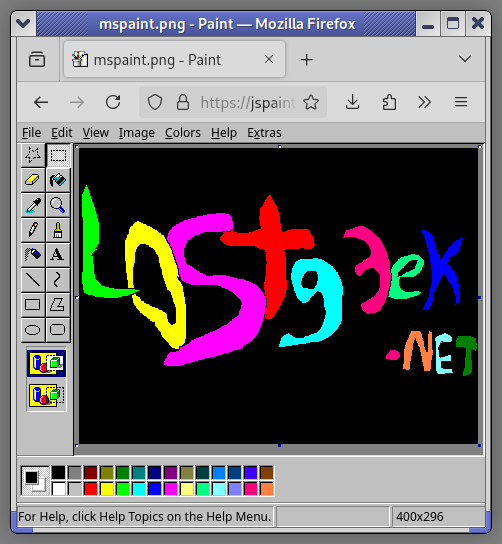
TLDR; That screenshot isn’t of jspaint.app — but with the exception of trading the blue titlebar for your web browser’s UI; it is basically the same thing. I stumbled upon jspaint.app while looking for a basic, simple Linux\Unix paint program.
All those familiar toolbar items, exactly as you remember them.
Genuinely useful, I would say. For when you need to just draw a circle, a dot, an arrow to draw attention to part of a screenshot. When you need to do a simple resize, rotate, crop. And of course, it can save and open files from your local machine. The uploading and downloading is mimicked through the win32 inspired dialog, it even plays a Win 9x error warning chime to remind you to save upon quitting! And I’ll be damned, I wrote this whole thing up not knowing that there is much much more, if you Exit the “program” instead of just closing the tab. Some very cool stuff. Definitely will scratch the nostalgia itch, but genuinely useful too.
Anyways, that was the main point of this; sharing something I thought was pretty cool and unique. Despite being a copy of something, I’d imagine it is a complete re-implementation, and probably took some serious programming chops to pull off so cleanly. As far as I can see, it has full feature parity with the mspaint in Windows 95 – XP. (in my opinion, the best version.)
But, my search continued. I want something installed on the system, I’m not into web apps — but I made an exception to share that. It’s pretty darn neat. Both Krita and GIMP are fantastic image editing applications, but they’re packed to the gills with features. Most of the time, yes that is a great thing. But sometimes, it simple isn’t needed. Both applications take at least 5 – 10 seconds to start up, and if you haven’t worked in them in a while it can feel a bit cumbersome finding your way through whatever edits you’re trying to make as you re learn the interface and layout. I’m a casual user. If I the software daily, I’d have no complaints.
In my 5 minute search to see what was out there I found a few things of interest…
Pinta looked like a great option. However, you need to install Microsoft’s .NET SDK in order to compile it yourself. It isn’t already in the debian repositories of course either. They did have a tarball of it, I’ll probably go back and try that… but I ended up moving in. Yes, they had flatpacks and snaps, I’m all set since I have no other software in the format thus far and ehh, I just prefer more minimalist solutions.
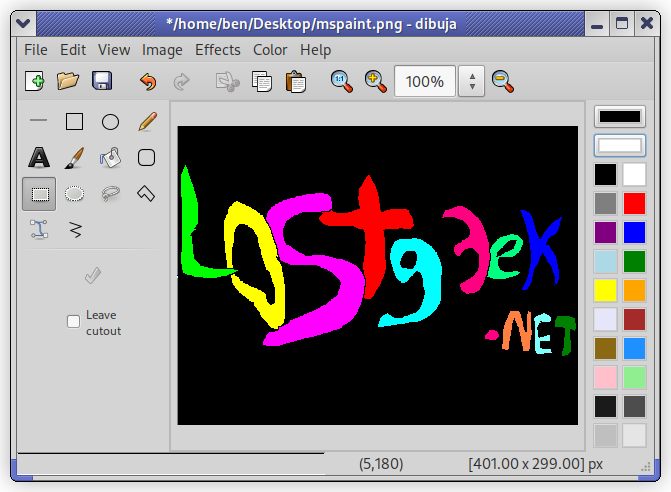
I ended up installing Dibuja; had to of course do some terminal funkery but wasn’t too bad. Basically there was a dependency issue with libgdk-pixbuf, I installed the current replacement but apt wasn’t happy with that… However it was an easy fix, equivs came to the rescue.
First off, we install the updated library libgdk-pixbuf-2.0-0. Go ahead and try just installing the .deb for Dibuja because my issues may have been because I’m running on trixie… I doubt it though, but not sure. If you have dpkg complain that you’re missing libgdk-pixbuf, continue on to install equivs.
For those in the same pickle as I was:
mkdir ~/equivs-dibuja
cd ~/equivs-dibuja
equivs-control control
Doesn’t say so according to their official schedule, but 14.5 RELEASE is up on the web.
Since 14.1 or 14.2 the 14 series no longer works on my T400. Unsure exactly why, but it only boots in safemode… So, fresh 13.5 it is! According to their release schedule, RELEASE announcement isn’t until March 11th.
There is indeed an image though, in my case: FreeBSD-13.5-RELEASE-amd64-memstick.img and I’m half way through installing it right now.
Official Schedule:
https://www.freebsd.org/releases/13.5R/schedule/
When the words “New sign in” are in the same message as “Windows”, something probably isn’t good!If you’re like me anyway
My heart just about stopped seeing a new sign in from Windows pop up as an alert. I did some digging, and quickly noticed that it must be a mistake… TLDR; it was.
Because Mozilla managed to piss off the entire internet with their new Terms of Service, updated to comply /w California law, I gave LibreWolf a spin… and signed into a google service at some point.
Much to my relief, I did NOT get hacked. Librewolf reports a Windows user-agent. Yes, even on Linux. I mean, from a privacy standpoint I don’t care & it does make sense. Linux users are only 2% – 4% of the desktop market share, so looking like another Win user is good if you want to be further anonymous.
Anyways, Louis Rossman has a really good take on the whole situation… The video is worth a watch. I’ll likely ditch FireFox in time, but this whole debacle isn’t as bad as it first seemed thankfully. Video Link
Just had to share this though… Because you know, the same thing happened to more than just me!!


 FreeBSD 15.0: Notable Improvements for Desktop and Laptop Users
 Trixie Released Today!