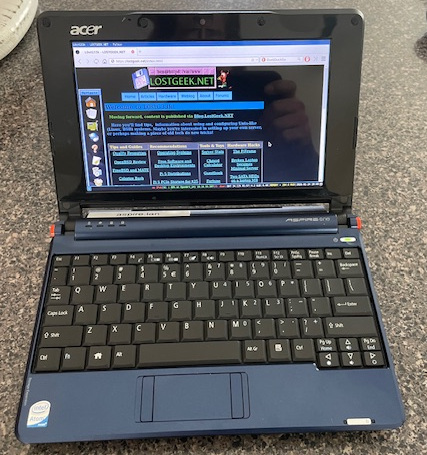
 I’ve been wanting to grab one of these for a while and finally did. Ended up scoring a super clean, un-abused one just like I had back when these were all the rage. Mine came with Win XP, and IIRC had a SATA hard drive and 1 GB RAM. This one was actually a Linux machine from the get-go, neat! Only two things to note, it only has 512 MB RAM… and (according to DMESG anyway) has a PATA SSD… 8 whopping gigabytes. The 8 gig part I don’t mind, but I just expected it’d be SATA and I could easily throw something in… Oh well. Truth be told, 8 GB is enough. Right now I have Debian 12 /w Xorg + i3 and plenty of things installed and I think I’m still under 2GB used on disk. How does it run? Surprisingly well, considering it has 512MB RAM and a 1.6 GHz single core, 32 bit CPU. (HT, but not a real dual core)
$29.99 shipped is all I paid. Worth it for the nostalgia, plus I just wanted a linux machine I can run in the palm of my hand. It may struggle on the modern web, but it is excellent to just pick up and SSH into servers with. Does OK with Falkon on lighter sites too.
You can even still get batteries for these! $18 shipped got me a brand new one, and it is shockingly good for the money. Seems to give a couple hours of runtime.