B550M AORUS ELITE AX — Replacing the lousy WiFi!

Finally decided to retire the Haswell system I’ve been using, and ordered up some AM4 goodies during the recent Prime Day sale. I grabbed an AMD Ryzen 7 5800X (8-core, 16-thread), 32 GB of DDR4-3600, and the Gigabyte AORUS Elite AX (Rev 1.3) motherboard. The CPU was the main draw — it was only $130! The board was on sale for $90 (currently $149.99 on Amazon).
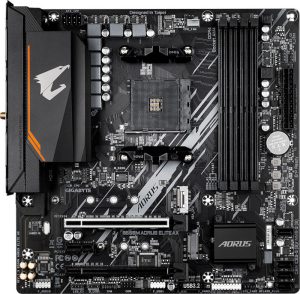
Aorus Elite AX Rev 1.3

Thus far I am happy with this motherboard. It doesn’t give me the same vibe of Gigabyte superior value which I got back in the day from the likes of the classics — GA-EP45-UD3P comes to mind! — but, for under $100 it seems quite adequate.

The included WiFi leaves much to be desired though… Maybe it works fine on Windows?? On Linux, I was only seeing 2 bars and maybe 300 – 400 Mbps.

The solution? Grab yourself an AX210.
Intel wireless cards have excellent support on Linux and BSD alike. For just $20–$30 online, you can replace the built-in Realtek card. It takes about half a dozen screws to open the board and swap the M.2 module. I highly recommend tweezers for disconnecting and reattaching the tiny U.FL antenna connectors.

Where’s the Wi-Fi module located?
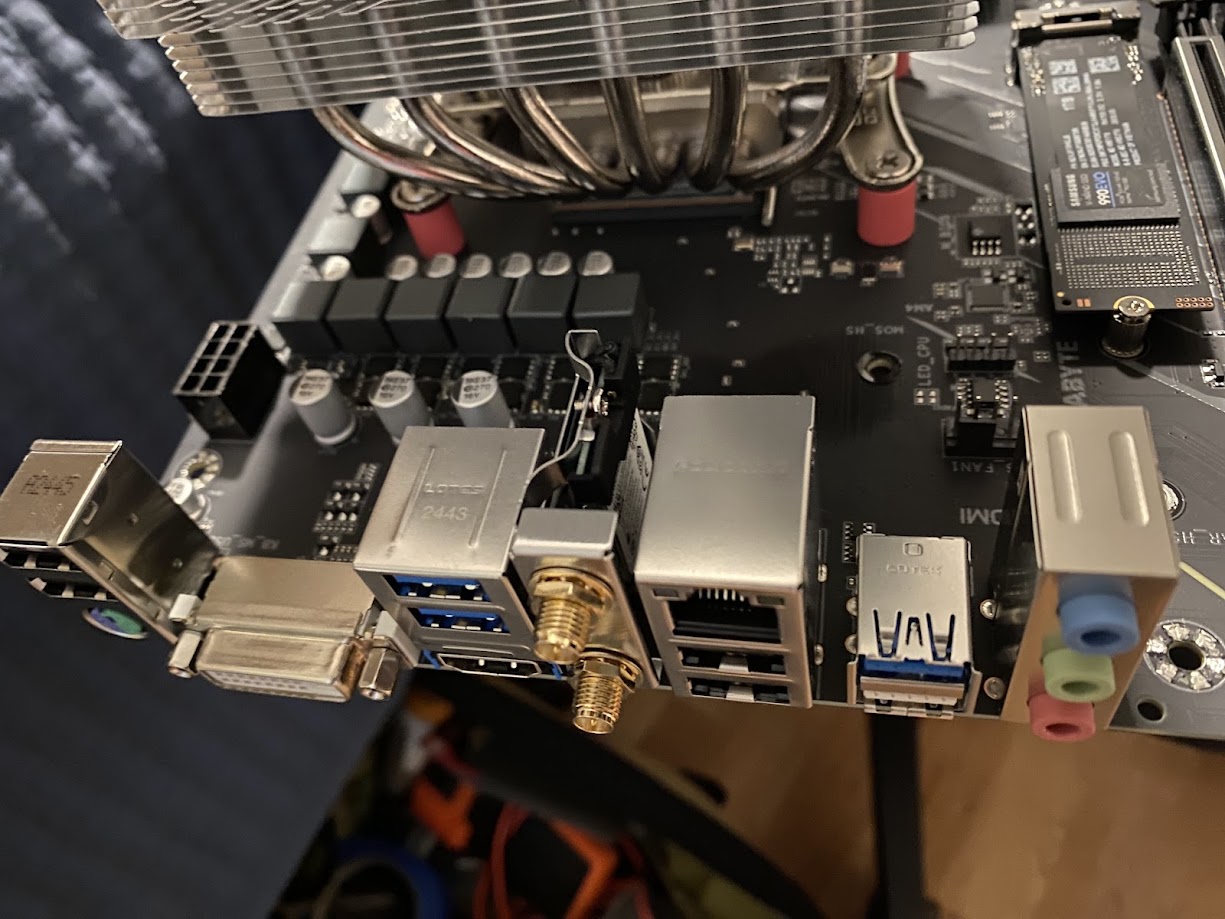
Motherboard WiFi
Board with VRM heatsink and shroud removed
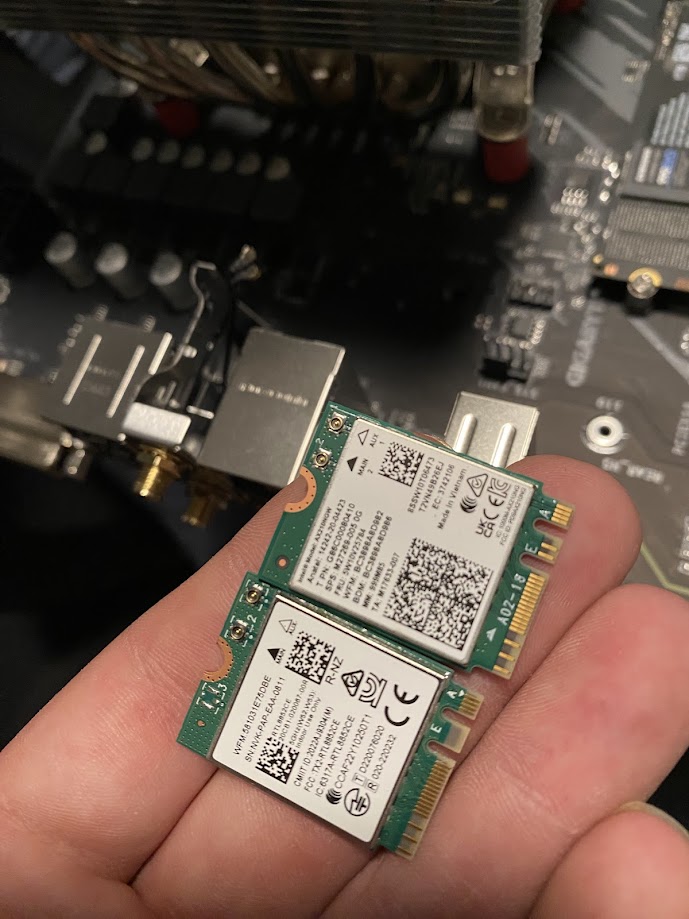
WiFi Cards
Realtek NIC beside the new Intel AX 210

My pings are now way, better. Night and day. And the speed is a solid 100 Mbps better, or more. See for yourself!
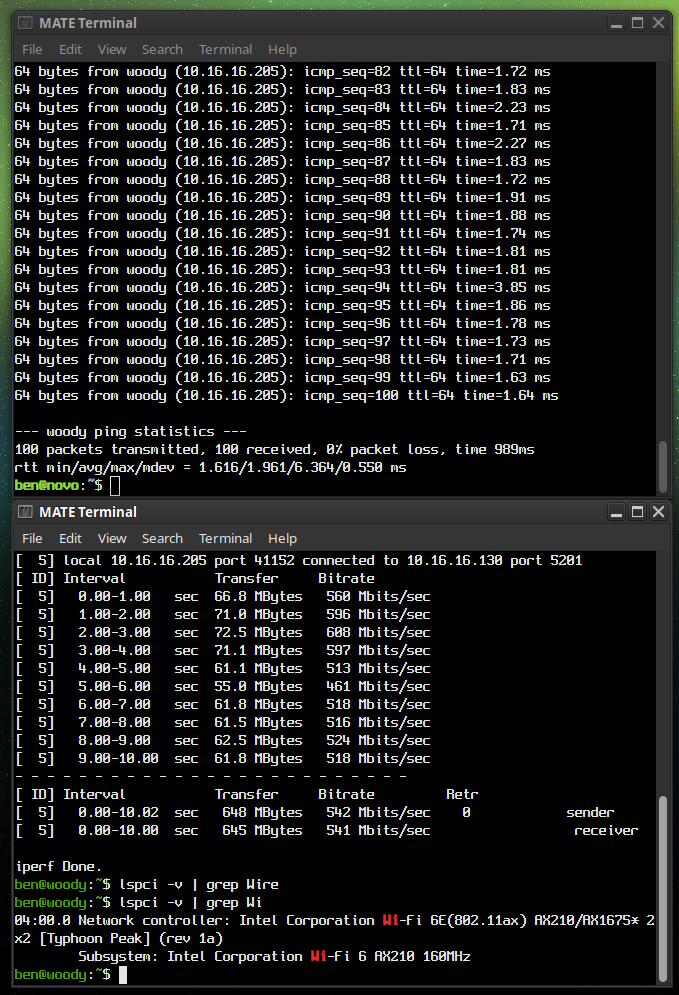

AX 210 Results
AX210 Results: iPerf3 Test and 100 pings to my server

Utilizing Apt-Cacher-NG’s cache on the server hosting it

apt-get

I’ve been using apt-cacher-ng for a few months now. For those who don’t know, this is a service you can run locally which will proxy apt requests from your network clients. This way, each time a package or update is requested there will be a copy retained in the cache. Upon each subsequent request for the same file(s), the local copy can be served instead. This saves bandwidth, and offers a speed advantage since you’ll likely be getting full GB ethernet line speed on your LAN. Read more about ACNG here.

While several local machines and VMs have no issues using my local ACNG proxy, the server actually hosting ACNG itself seemed to be giving errors when doing an apt update.

You’ll likely see the warnings “503 Server reports unexpected range” as well as “Some index files failed to download. They have been ignored, or old ones used instead.

Basically, because the machine is trying to proxy through itself, some kind of problem occurs. Now, the simple solution is to just point to the normal Debian mirrors directly. That however wouldn’t offer the benefit of our local cache! The more boxes / VMs pulling for it, the more value you’re getting out of the whole setup… So here’s how we resolve this issue.

Write a text file to /etc/apt/apt.conf.d/00acng and place the following lines inside:

Acquire::http::Proxy::localhost “DIRECT”;
Acquire::http::Proxy::127.0.0.1 “DIRECT”;
Acquire::http::Proxy::novo.lan “DIRECT”;

Of course, change “novo.lan” to the hostname of your ACNG host. My sources.list looks like this, hence the hostname used in my example.

deb http://novo.lan:3142/deb.debian.org/debian/ bookworm main non-free-firmware
deb-src http://novo.lan:3142/deb.debian.org/debian/ bookworm main non-free-firmware

deb http://novo.lan:3142/security.debian.org/debian-security bookworm-security main non-free-firmware
deb-src http://novo.lan:3142/security.debian.org/debian-security bookworm-security main non-free-firmware

deb http://novo.lan:3142/deb.debian.org/debian/ bookworm-updates main non-free-firmware
deb-src http://novo.lan:3142/deb.debian.org/debian/ bookworm-updates main non-free-firmware

You may want to add a 4th line, with your actual LAN IP if you’re naming the apt mirror by IP instead.


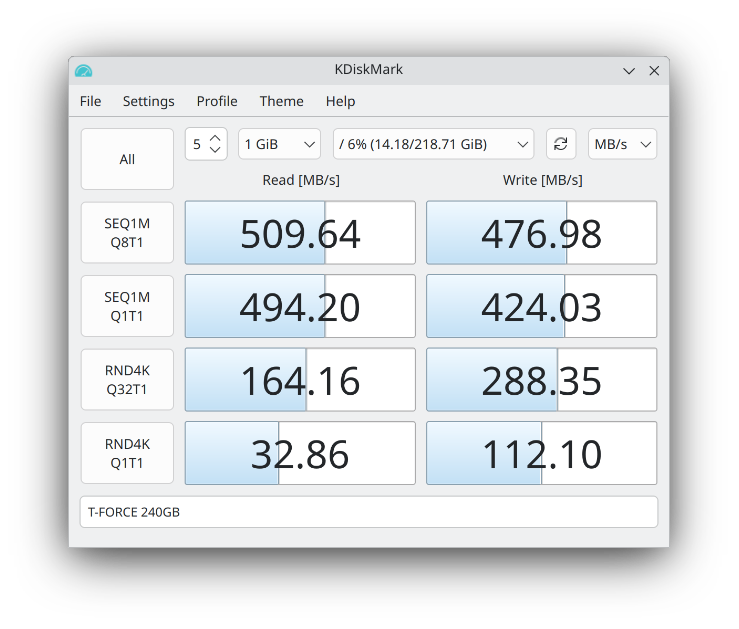
CrystalDiskMark for Linux?? KDiskMark is here to satisfy!

Here is a bit of KDE software which I was not aware of. It was not included in Debian 11 (Bullseye) — you had to build it from source or use third-party packages… However it was officially packaged starting with Debian 12 (Bookworm) and newer.

Here it is, running it on Kubuntu 25.04:

KDiskMark 3.1.3 on Kubuntu 25.04

Excellent little tool for those who don’t want to benchmark disks in the terminal via dd / fio. Nothing wrong with healthy feature parity & easy of use!

Making htop Remember Your Custom Layout

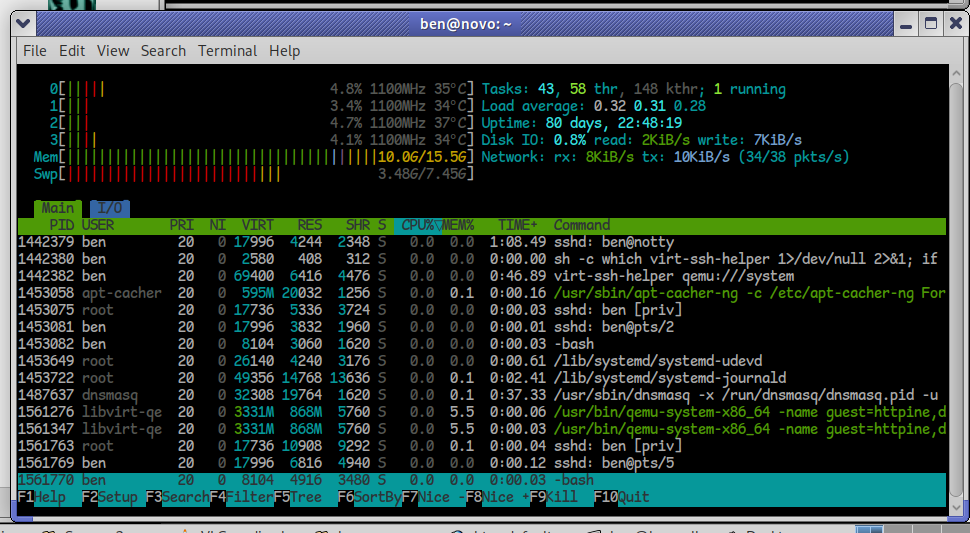
htop screenshot
htop running with customized layout

I’d like to take a moment to explain a handy feature of htop, a system monitoring and process management tool — basically a text-based “Task Manager,” but far more powerful and flexible. I run it on my desktops, laptops, servers, and occasionally on virtual machines, whether in a graphical session or a terminal-only environment. Below, you’ll see it running on my server, where I’ve configured it to display the frequency of each CPU core, temperatures, total disk I/O, and total network I/O. As you can tell, activity is minimal — not much happening at this early hour, around 7 AM, when both local and internet traffic tend to be quiet.

htop is a brilliant little utility that punches way above its weight. It’s lightweight, packed with functionality, and refreshingly easy to use. Better yet, there are hardly any dependencies required, and it’s so cleanly written that even a novice should have little trouble building it from source, should they desire to do so. Remarkably portable, htop will compile on just about any Linux system, any of the BSD variants, macOS, Solaris and illumos derivatives, Haiku, and Cygwin (Windows). I think you get the point.

One handy but often overlooked feature is that htop can remember your custom display settings. Whether you prefer to see CPU frequencies, temperatures, disk I/O, or network traffic meters — you can tailor your view exactly how you like it.

Once you’ve customized your layout (press F2 in htop to access the Setup menu), simply press capital S (Shift + s) to save your settings. The next time you launch htop, it’ll load up your preferred view automatically.


© 2025 LostGeek.NET - All Rights Reserved. Powered by ClassicPress, NGINX, Debian GNU/Linux.