
Its no secret that if you want to do multi-gig networking on the cheap, sites like eBay are the place to visit. Castoff enterprise gear can be had for pennies on the dollar, if you don’t mind getting equipment used. Used it may be, but this stuff was absolutely top of the line a decade ago, and it will still impress you with the performance and stability for casual use cases.
My first rule for doing multi-gig on the cheap: Do not overpay!
The kinds of network cards I’ll be mentioning in this article are often literally being thrown away into ewaste. Not because they’re not good or anything like that, they cost a small fortune 8 – 10 years ago… but in the enterprise, nothing gets kept that long.
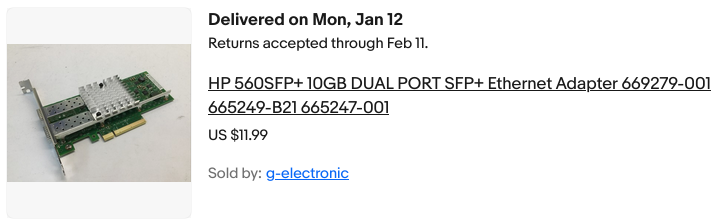
Here are two examples of extremely affordable 10 GB networking, on the cheap. Both cards use an Intel chipset… what does that mean? World class stability and reliability, mature robust drivers, and excellent support under both BSD based operating systems aswell as Linux. These two cards use different chipsets, but all you need to know for now is that both are reasonably solid and battle tested options. What’s the difference? The media they use.
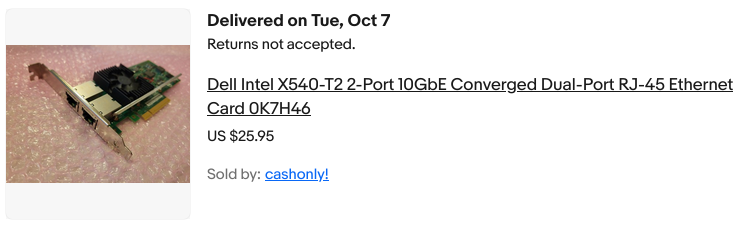
 The first card is the X540-T2, and this is the dual RJ45 version. This readily takes twisted pair ethernet. Now, on the surface you’re probably thinking “OK, that would be the one I want!” and you may be right. Let’s get into it.
So yes, that first card will take normal Cat 5 / 6 / whatever twisted pair ethernet cabling… the stuff you’re already using at home to do gigabit. There is a catch though. We’ll get back to that. The second card, instead of having RJ45 jacks actually takes SFP+ modules. These come in many different options, and are typically used for fiber optic networking. SFP and its variants can support everything from 1 GB all the way to 400 or even 800GB on modern network gear.
If you’re like me, you’re thinking well why would I want that? I don’t want that! (That was what I thought, early on in this endeavor)
Cards set up for SFP+ transceivers generally consume less energy and as a result don’t get quite as hot as 10 gig gear which takes standard twisted pair ethernet. Notice that the X540 has a fan while the second card does not? Well, that second card actually runs substantially cooler! Even when using a transceiver which furnishes an RJ45 10GB ethernet connection!
There is a catch though. Fiber optic moduiles can be found very cheap. You can also often find direct-attatch cables (DACs) which are essentially two SFP modules joined by a wire… these are also a good affordable and energy efficient option. There is one reason why you may not want to go with SFP style interfaces, atleast not on too much of the gear you pick up… and that would be if you’re planning on running it with twisted pair anyway. Sure, you can buy transceivers on Ebay and Amazon, but that is an additional $25 – $30 per port you’ll need to invest, and boy do those suckers run HOT.
The information above covers use cases for home servers and NAS builds. It probably won’t be too helpful on your desktop or gaming PC though… And the reason is PCIE lane availability. Consumer platforms only have a limited number of PCIE lanes… basically just enough to give you 16 lanes for your graphics card slot, and then another 4 for the primary NVME/M.2 slot. Everything else is used by the chipset, and chances are that if you do have a second M.2 slot or additional PCIE 1x, 4x, 8/16x slots that the chipset is what drives them. Also, don’t be fooled. There is a chance you can configure a consumer board with two physical 16x slots to run both at 8x bandwidth… but if you have your graphics card getting 16 lanes, you will not have more than 4 lanes left over… And more than likely, you’ll be working with just a single lane!
The achelies heel of those old enterprise castoff 10 gig cards is their age. They’re probably going to be gen 2 PCIE, which is why they need 8 lanes for the two 10gig interfaces. Will it work at 4x? Sure. But not at 1x… Even if the card does work (it might!) the bandwidth just isn’t there.
Your modern system will have fast PCIE, likely gen 3, 4 or perhaps even 5… But if the peripheral you’re dropping in (the NIC) only supports gen 2, then that is what we need to account for to determine bandwidth needs.
For my desktop, I had a secret weapon…
We don’t want an 8x card if we’re only going to be giving it a single lane… Know what would be great? Using something with a more modern interface. Gen 3 x 1 lane can darn near do 10gig. I’m trying to keep this on a shoe-string budget though, and since my server uses SATA SSDs for the bulk storage I only needed roughly 500MB/sec to take nearly full advantage of what those disks can do.
So what we want is a card with a gen 3, single lane interface. We want do avoid total no-name solutions… Stick to brands which you associate with the IT world. Intel, Mellanox (now nVidia), Chelsio, Aquantia are some good ones to start with. Don’t buy a Realtek 5 or 10 gig card, if you want my advice. You can get something much more reliable/performant for the same or less cost.
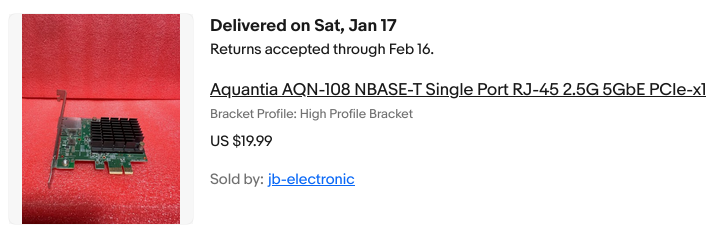 For just $20, I was able to score this Aquantia 5GB/sec network card. It is a gen 3 card, and is only a 1x card anyway. Perfect! It also isn’t a furnace like the 10gig RJ45 cards are… this is another big bonus since I like my workstation as quiet as possible.
Connecting it all together…
You’ll need a switch that supports these faster standards. As of lately, there are some no-name switches with a half dozen or s0 2.5 GB ports and then a pair of 10GB ports… there are tons of these on the market, and they are dirt cheap. What’s the catch? Well they’re no-name for one. And you’ll need to accept the fact that they’re going to all use SFP+ for their 10GB ports. Fear not.
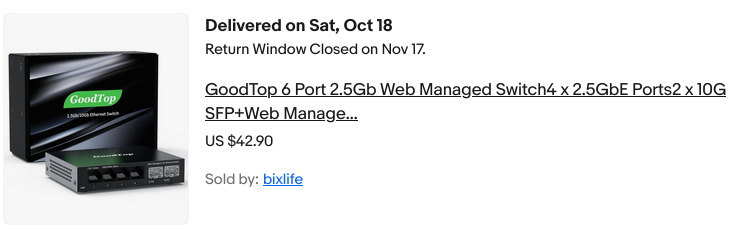 For around $40 I got this “managed” switch. Why did I put it in quotes? Well because this thing is kind of a joke… but what the heck, it works!
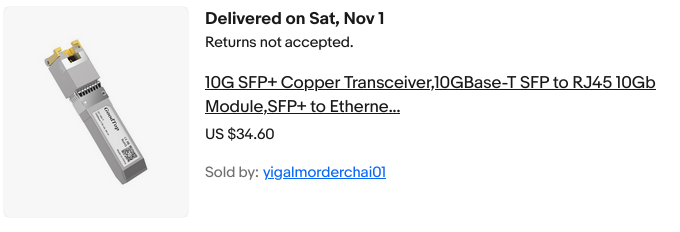 This is one of the two SFP+ transceivers I ordered. I got my second one off Amazon, and pair $10 less for that one. The ebay (goodtop) one seems to run noticably hotter! I’d recommend ordering modules by HiFiber instead. The HiFiber module I got even says right on it that it supports 1GB, 2.5GB, 5GB and 10GB… this is good to know because there is a lot of 10GB gear (especially older stuff) which only supports two speeds. 10GB and 1GB. Got a 2.5 or 5 GB siwtch? Too bad, if you’ve got something like the X540-T2.
For the rest of your PCs
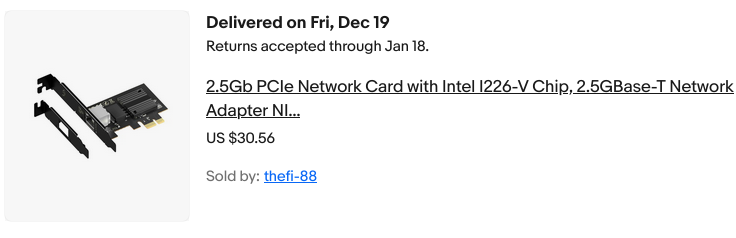
How about 2.5 gig? The cheap switches mostly have 2.5 gig ports, so I got a couple cards. Again, avoid Realtek. Intel chipsets are better, but some can be buggy. Avoid the i225, try and stick with something like the i226 cards. Expect to pay $25 – $30 for a card. Perhaps just skip it and go for 5 gig? Maybe… Just make sure whatever you get can negotiate to speeds other than 1 and 5 gig. (Example: you have a 5 GB nic and 2.5 GB switch, but you’re stuck @ 1 GB because your nic can’t negotiate @ 2.5GB…)
Performance: Desktop to Server (5gb -> 10gb)
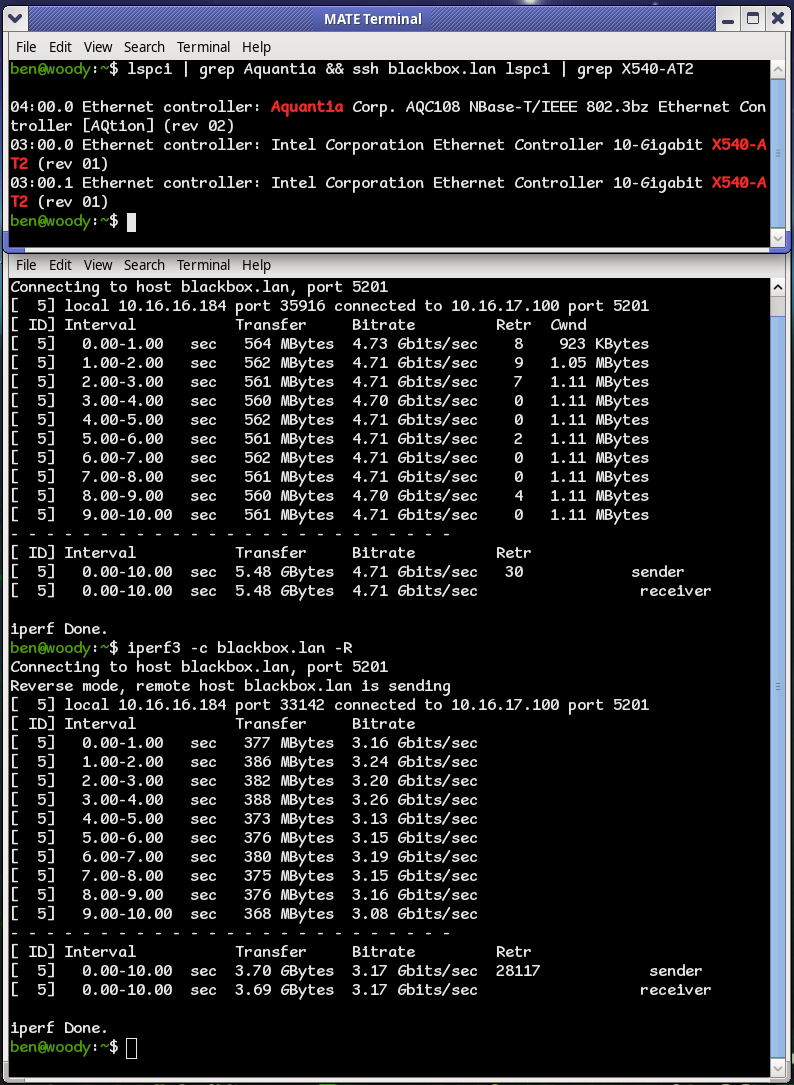 Excellent. Beats the pants off 1Gig! Something is going on there where we’re seeing a little more in one direction than the other, but I’m not too worried about that. What I’m happy with is I am seeing a substantial uplift from what I was getting with a 2.5 GB nic in the same situation.
How about NFS performance? Benchmark of an NVME disk in my server, mounted on my workstation.
 While it may not be 10 gigabit, this is nothing to snuff at. I’m very happy with the results, given the restriction of only being able to use a 1x PCIE card.